I recently got an email from Deborah asking me about Digital Scrapbooking for Absolute Beginners. What’s the difference between Photo Editing for Absolute Beginners and… Digital Scrapbooking for Absolute Beginners These are two separate classes, that have a similar names. So here’s the inside scoop! Photo Editing for Absolute Beginners In Photo Editing for Absolute Beginners I show you how… [Continue reading]
All Digital All the Time

Did you know there are more than half a dozen programs you can use on your computer to create digital scrapbook pages? In today’s episode of the Scrapbook Inspiration Podcast I’m joined by 6 fabulous ladies to talk about the different software programs out there for you to work with. Let’s meet this week’s guests!… [Continue reading]
Digital Scrapbooking for Absolute Beginners
The new class that will help you get started scrapbooking [Continue reading]
12 Days of Christmas: Create a card with a template
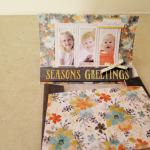
Create a quick card using the free 12 days of Christmas Templates from Cassel of Scrapbook Campus [Continue reading]
Week in the Life Album Walkthrough
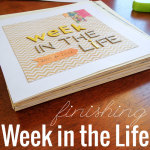
Over the past few years I’ve participated in Ali Edward’s Week in the Life. In 2012, I even wrote about a few ideas I had for doing it digi style. The truth is I never quite got around to scrapping those pages. But, I have an album to show for it. How can that be?… [Continue reading]
Free Class: Pixel Perfection: Using Digital Stamps to Pump Up Your Projects!
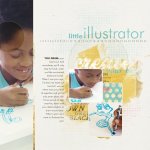
FREE CLASS: Time to learn about digital stamps for digital and hybrid scrapbooking. [Continue reading]
How to Blend Patterned Paper Into the Background in Photoshop Elements
Learn how to use a mask and the gradient tool to blend one layer into the background in Photoshop Elements. Blend Patterned Paper Into the Background Open your two patterned papers in Photoshop Elements. Create a new blank document by going to File-New-Blank File. Make the file 12″ x 12″ and 300 pixels/inch. Drag your… [Continue reading]
Create a Cluster
Learn how to create you own cluster of embellishments in Photoshop Elements using digital scrapbooking supplies [Continue reading]
How can I use the dodge and burn tools?
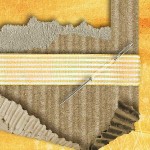
I’ve been gathering some questions from you – so let’s jump straight in and answer one! One way I use the burn tool is to “ink” the edges of papers that I’ve clipped to a template. For example on this template from The Daily Digi, I’ll use it on the scallops: Before: After burning the edges at… [Continue reading]
Inside my Album: Including Children’s Artwork
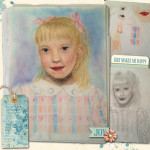
How to display artwork in your scrapbook pages – and declutter your home in the process. [Continue reading]
- « Previous Page
- 1
- …
- 10
- 11
- 12
- 13
- 14
- …
- 20
- Next Page »