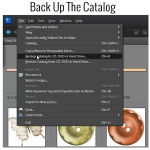
Backing Up The Catalog Backing up the catalog in Photoshop Elements Organizer is a very important step in our organization process. Here are the steps to take to do just that. Click on File>Backup Catalog to CD, DVD, or Hard Drive Choose Full Backup (you will see that you need to choose a full backup… [Continue reading]
How to find a needle in a haystack
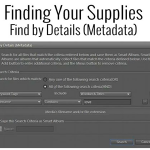
How can I search for my supplies and what is metadata? I know it sounds really technical, but don’t let the word metadata scare you off. It is what will be making it easy for you to find your supplies at the click of a button! Photoshop Elements Organizer creates a database of your files,… [Continue reading]
Organizing the Digi Files
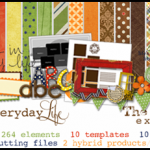
Do you have a few months of Digi Files sitting on your desktop? I’m sure you aren’t the only one! I contributed to a post over at the Daily Digi about using and organising the Digi Files This is my process – Download into a TDF## folder in my Digi folder on my PC (The… [Continue reading]
Import your photos or supplies without lifting a finger
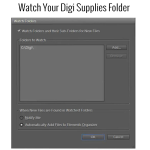
You can have Organizer notify you when there are new supplies or photos to be imported. If you are running Photoshop Elements Organizer on a PC, you can easily set up a Watch Folder in Elements Organizer that will actually watch for any new digi supplies or photos you have added since last time you… [Continue reading]
Recolour a Digital Scrapbooking Element

Today I’m sharing with you my answer to a question that scrapbookers have asked me. How do I recolour part of a digital scrapbooking element I’ve included video tutorials showing the simplest method I’ve found for each question. It is quite possible that there are other ways to do these things, but I try to… [Continue reading]
Resize a Digital Scrapbooking Template
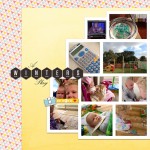
Sarah wrote in to ask: I notice that the pages you make are 12×12. I want to just be able to print 8 ½ x 11 pages instead. Is that possible. Do I have to find templates specifically for that or is there some other trick you can share? To make a 12×12 template 8.5×11… [Continue reading]
Photoshop Elements Coupon for up to $50 off

Photoshop Elements 10 Dads and Grads Sale Use the coupon code ELEMENTSMAY for $20 off Photoshop Elements or $50 off Photoshop Elements & Premiere Elements Bundle. Upgrade to Photoshop Elements 10 to enjoy text on a path, quick photo fixes, masking and more. Want to learn more about PSE10? Check out my Photoshop Elements 10… [Continue reading]
Layout a Day in May
Do you want to get your week in the life scrapped? Do you have a long overdue project you’d love to finish? Do you want to challenge yourself? Then Layout a Day is for you! May’s Layout A Day event will challenge you on all levels of our scrapbooking with design, photography, journaling, color schemes, topics,… [Continue reading]
How to use a Digital Scrapbook Template

Do you want to learn how to create a digital scrapbook page the easy way? Today I’ll share with you how I created this layout from a digital template. For this layout I’ve used: Simple Template Album Template 3; Peace on Earth by Flergs and Eva Kipler available at Scrapbookgraphics; Happy Hollydays and Happy Hollydays Add on Paper Pack by Karen Lewis Designz;… [Continue reading]
Week in the Life Tips

Ali Edwards’ Week in the Life always seems to come at a busy time for me. But then I think, why not document that too? I am currently 38 weeks pregnant and would love to document this upcoming week, the last as a family of three. Last year I completed my Week in the Life on my… [Continue reading]
- « Previous Page
- 1
- …
- 12
- 13
- 14
- 15
- 16
- …
- 20
- Next Page »