
Photoshop Elements 10 is half price! One day only – 50% off Premiere Elements 10 with promo code ELEMENTS50. So for around $50 you can enjoy text on a path, quick photo fixes, masking and more. Want to learn more about PSE10? Check out my Photoshop Elements 10 Review here. This sale ends 15th of… [Continue reading]
Anna Aspnes: Artsy Effects for Scrapbook Pages

Do you know Anna Aspnes? Anna was one of the first digital scrapbook designers selling her designs for over 9 years now. Anna also is one of the 15 A-list instructors at True Scrap 3. I spoke to Anna earlier this month and chatted with her about: How she got into to digital scrapbooking space… [Continue reading]
Find Any Untagged Supplies in Organizer
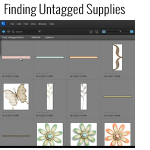
Have you been tagging your supplies in Organizer yet? If so, you’re probably wondering how in the world you know if you’ve got them all tagged. Well, there’s a couple ways to find out. So easy Use the shortcut Control+Shift+Q on a PC or Command+Shift+Q on a Mac, OR Go up to the top menu… [Continue reading]
Organize your Digital Scrapbooking Supplies
Overwhelmed by Piles of Digital Scrapbooking Kits? Do you have piles of digital scrapbooking supplies? Do you have a mess of folders on your computer? Do you want to get organised quickly? Join me to learn how to use Photoshop Elements Organizer I’ll show you: Simple ways to organise your supplies – saving hours of… [Continue reading]
Layout a Day: Going Strong
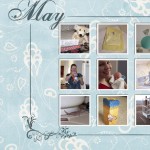
I just wanted to share with you some of the layouts I’ve been creating this month as part of LOAD 212. Created with Admarket’s flickrSLiDR. See my favourite things in the Digi Scrap HQ Store at Amazon. I am an Amazon affiliate so may receive a commission if you make a purchase.
50% off Photoshop Elements 10 today only!
Photoshop Elements 10 is half price! Photoshop Elements 10 is on sale for 50 percent off! So for around $50 you can enjoy text on a path, quick photo fixes, masking and more. Want to learn more about PSE10? Check out my Photoshop Elements 10 Review here. This sale ends 14th of February so jump on… [Continue reading]
Layout a Day: Day 1
Today I finally made progress on my almost half finished 2009 Year in Review Album…. I worked on May 2009. What a month that was with lots of family and friends celebrating: babies, engagements and more! Yes you read right! 2009 Year in review! I’ve had this under construction for far too long and now… [Continue reading]
How to print 4×6 Photos with a Border

Michelle wrote in with a question about Photoshop Elements… I was wondering how to print white borders on 4×6 photos in PSE. I see the option to print borders when I select print, but they never come out even no matter what # I choose. Thanks, Michelle It seems there’s a bug with printing borders… [Continue reading]
Digital Scrapbooking Primer: Cut with the Cookie Cutter Tool
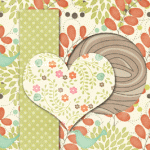
Baffled on how to create your own paper strips and cut outs from digital scrapbooking papers? In today’s video I share with you a simple way to cut your paper using the cookie cutter tool. UPDATE: For recent versions of Photoshop Elements, the cookie cutter is now part of the crop tool. See my favourite… [Continue reading]
Learn easy fixes to common photo problems using Photoshop Elements
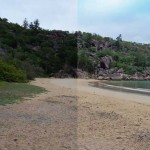
Did you know you can use Photoshop Elements to clarify and and brighten your photos in just a few seconds? Using the levels adjustment in the Guided Edit mode you can fix your dull photos and bring true life colours to your photos. No need for actions, filters apps or gadgets! Levels adjustments can help… [Continue reading]
- « Previous Page
- 1
- …
- 13
- 14
- 15
- 16
- 17
- …
- 20
- Next Page »