
If you are ready to make a head start on your December albums, you’ll be thrilled to hear that there’s one last chance to Your December Solution. This collection includes: 31 photo focussed templates (valued at $49) Shutterfly-ready cover (works with Snapfish too!) for a perfect finished book Karen Lewis Designz Happy Holly Days Designer Scrapbook… [Continue reading]
How to Fit a Photo in a Frame

Adobe Photoshop Elements is a popular tool for digital scrapbooking, but sometimes it can be a little confusing to know where to start. Learn how to add a frame to your photo! [Continue reading]
Talking about Forever Artisan 5: Scrapbooking Inspiration Podcast

Tameka Bond from Pixels2Pages joins me for another episode of the Scrapbooking Inspiration Podcast. I am a pixels2Pages Team Member and love to train and inspire people. I live in New York City and have 3 children ages 11, 14, and 17. By day I am employed as a full time paralegal, so time management is a… [Continue reading]
Scrapaneers LIVE Happening This Weekend

Calling all Digital Scrapbookers! Coming this weekend is the event you DO NOT want to miss. Scrapaneers is bringing Scrapaneers LIVE to digi scrappers everywhere on October 17th. You can expect live demonstrations of techniques, fun take-a-break make & takes, digital kit goodies and downloads, giveaways and a place where not only will you leave motivated and inspired, you’ll leave… [Continue reading]
How to Clean Up the Background of a Photo in Photoshop Elements
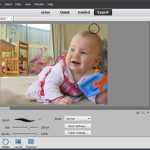
Have you got a cute photo that has a distracting background? With a couple of tweaks in Photoshop Elements, you can fix it up in just a couple of minutes! When you are stepping through fixing your photos, here’s the basic steps to follow: Protect your original photo Whenever you edit a photo, you want to… [Continue reading]
Can you find a photo of your grandparent’s home in less than 10 seconds? I can!

Are you inspired to tell the stories of your family’s favourite getaway? Would you love to share the story behind a local landmark? Telling stories about your childhood home, your town, and your travels can be complex, if you are dealing with photos from multiple cameras. Time moves on and you can’t quite remember where… [Continue reading]
How to View the Folder Tree in Photoshop Elements Organizer
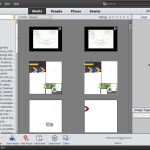
When you are organizing your photos or supplies in Photoshop Elements, it can be helpful to be able to view the folder structure on your hard drive, so you can move or rename folders and just have more of a sense of where your files are located. On the left of the Organizer you can… [Continue reading]
How to Create A Precise Selection in Photoshop Elements
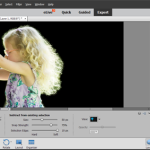
If you to make a precise selection in a photo, you’ll love the Refine Selection Brush tool in Photoshop Elements 13 and 14. If you used older versions of Elements you may remember the magic extractor, which auto-magically found the edges of the item you wanted to extract. The refine selection brush helps you make precise selections. You can use them to… [Continue reading]
The Very Basics of Organizing Digital Photos for the Overwhelmed Scrapbooker
They’re everywhere. On phones, cameras, tablets, hard drives, CDs, DVDs, flash drives and more! As scrapbookers, we take more photos than the average person and with the proliferation of cameras, it can get a little bit much. One day you spend too many hours searching for that one photo you know you have. I know that organizing… [Continue reading]
Tag your Photos without any Special Software
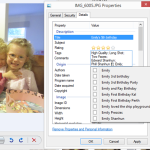
Did you know you don’t need fancy software to tag your photos? Here’s how to tag your photos using nothing more than your folder system! Windows Simply go to the image properties: Right click – Properties (Ctrl+Enter), then click the Details tab. Then you’ll see a range of fields for you to fill in. Windows will… [Continue reading]
- « Previous Page
- 1
- …
- 84
- 85
- 86
- 87
- 88
- …
- 154
- Next Page »