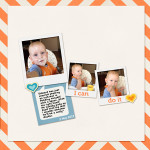
Take a peek inside my scrapbook. See you simple it is to tell your story. [Continue reading]
Save Your Photos: Free Class

What would happen to your photos in a physical or digital catastrophe? Would they survive? Do you need a better way to save your photos? Our photos spark long-forgotten memories, give us a glimpse at our history, and have the power to engage our emotions. They are valuable beyond measure. That’s why I’m joining with… [Continue reading]
Access Fast Photo Fixes for FREE

Do you have a photo that you love, but it just needs a little help to look its best? With my class Fast Photo Fixes you can give your photos more sparkle! [Continue reading]
Advanced Searches in Photoshop Elements Organizer
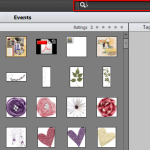
There’s a hidden gem inside the Photoshop Elements Organizer. Searching for one specific item you have among hundreds and thousands of items is possible! All about the Search Box The Search box in the top right of the Photoshop Elements Organizer was first implemented in the Photoshop Elements 11 and is now in the newer editions. You… [Continue reading]
Inside my Album: Squeaky Ted
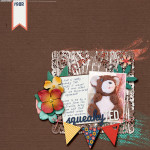
Take a look inside my album to see my Squeaky Ted layout! [Continue reading]
True Scrap 7 is here!

It’s that time of year again, when scrapbooking superstars from around the galaxy come to together for biggest online event of the year: True Scrap 7! [Continue reading]
Scrapbooking with Paintshop Pro

Carole Asselin of Scrapbook Campus joins me to chat about using PaintShop Pro for your digital scrapbooking. [Continue reading]
Understand Layers in Photoshop Elements
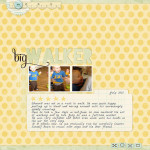
But what are layers? Layers. This one word stops many would-be digi scrappers in their tracks. But, I’d argue that layers are almost the best part of digital scrapbooking (SPOILER ALERT: the best part is the Undo button!) First, the classic Adobe definition… Layers are like stacked, transparent sheets of glass on which you can… [Continue reading]
Add a frame and text to your photos with Photoshop Elements

Have you ever wanted to add a little more to a photo? Maybe add a border? Or a caption? See how I combine these two techniques for a fun photo effect. Plus, as a bonus, I also show you the built-in frames within Photoshop Elements. Add a border or frame to your image It should… [Continue reading]
Save Your Photos FREE Class

What would happen to your photos in a physical or digital catastrophe? Sign up for Save Your Photos, a FREE class that will help you protect your library. [Continue reading]
- « Previous Page
- 1
- …
- 86
- 87
- 88
- 89
- 90
- …
- 154
- Next Page »