Text Tool Want to add journalling to your layout? Need to add a photo caption or date? The text tool is what you need! The text tool in Photoshop Elements is similar to what you see in your Word Processor. This video walks you through the options you can use for your text. Text tool… [Continue reading]
Digital Scrapbooking Primer: The Zoom Tool
The Photoshop Elements toolbox can be overwhelming- but you’ll be thankful that you don’t need to know how to use all of them to get started digital scrapbooking. I’m going to run you through the only four tools you need to start digital scrapbooking. If you use a template you may even be able to… [Continue reading]
The Move Tool
Want to move your photos, embellishments and papers around on your scrapbook page? Get moving with the move tool! The Move tool on the upper left of the toolbox is the default tool when you begin using Photoshop Elements. If you find it’s not selected click on the arrow icon or press V on the… [Continue reading]
Starting in the Photoshop Elements Workspace
Are you brand new to Photoshop Elements? I’ll show you around the Photoshop Elements workspace, giving you the essentials in under 3 minutes. Click to start playing the video – then you can click on the far right button (4 arrows outwards ) to watch these videos in full screen mode. See them in all their… [Continue reading]
Photoshop Elements Top Text Tips
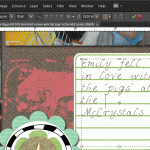
I was invited to share my top text tips for Digital Scrapbooking over at Digishoptalk. Head over to read my Text Tips article now to learn: How to journal on the lines for more realistic journalling Create an instant alpha by clipping your paper to text Make your text even on both left and right margins… [Continue reading]
Photoshop Elements Coupon for up to $50 off
Photoshop Elements 10 Dads and Grads Sale Use the coupon code ELEMENTSMAY for $20 off Photoshop Elements or $50 off Photoshop Elements & Premiere Elements Bundle. Upgrade to Photoshop Elements 10 to enjoy text on a path, quick photo fixes, masking and more. Want to learn more about PSE10? Check out my Photoshop Elements 10… [Continue reading]
Don’t open my files in Photoshop Elements
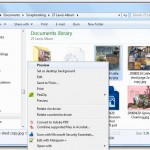
How do you prevent Photoshop Elements from loading every time you want to look at a photo? If you have an older computer, or just want to quickly look at a photo waiting for Photoshop Elements to load can be a waste of time. Susan asks: When I save a picture or scrapbook page on… [Continue reading]
National Scrapbooking Day Sale
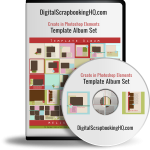
Limited Time Offer: 50% Off Template Album Set Looking for a full album of Simple Templates? I’ve got a special discount on my 31 digital templates set for interNational Scrapbooking Day – a massive 50% off! Check out the details of my Simple Digital Album Template Pack here. But hurry – this offer is only valid until the 10th of… [Continue reading]
50% off Photoshop Elements 10 today only!
Photoshop Elements 10 is half price! One day only – 50% off Premiere Elements 10 with promo code ELEMENTS50. So for around $50 you can enjoy text on a path, quick photo fixes, masking and more. Want to learn more about PSE10? Check out my Photoshop Elements 10 Review here. This sale ends 15th of… [Continue reading]
Last day to save on Scrapbooking Shortcuts Workshop
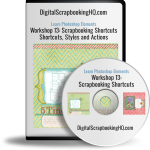
Today is the last day to get the special free photobook offer with this workshop – so buy now and save $29! Frustrated as a slow scrapper? Want to be more comfortable in Photoshop Elements? I can help! Want to scrapbook more quickly? Want perfect photobooks every time? Tired of resizing to share online? Wish… [Continue reading]
- « Previous Page
- 1
- …
- 12
- 13
- 14
- 15
- 16
- …
- 22
- Next Page »