
I can’t take you to the next level in photography, but with this awesome bundle of classes and ebooks you can take stunning photos [Continue reading]
$50 off Photoshop & Premiere Elements 11 today only!
Save $50 off Photoshop & Premiere Elements 11 ! One Day Only! Save $50 on Adobe Photoshop Elements & Premiere Elements Bundle. Enter code: ONEDAYDEAL Buy today and you can enjoy a new lighter inteface, much improved Organizer text on a path, quick photo fixes, masking and more. PLUS you’ll have the Premiere Elements video editing… [Continue reading]
How to Write Metadata in Photoshop Elements Organizer
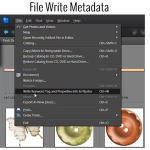
It’s easy to save your work and write your metadata to file in Photoshop Elements [Continue reading]
Disconnected Files in Photoshop Elements Organizer
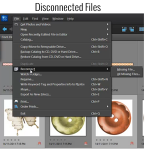
Moving Your Files Have you moved any of your files outside of Photoshop Elements Organizer? Maybe you moved some of your digital supply file folders at a time when you weren’t using Organizer. Organizer won’t automatically recognize the move. When you next use Organizer, you may get a message that some files were “disconnected”. Here’s… [Continue reading]
Get Your Supplies from Organizer into Editor
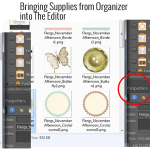
Can I open my files from within Photoshop Elements Organizer and get them into Photoshop Elements Editor? You certainly can and there are several ways to do it. You can select an element from within Organizer and in the panels on the right hand side of your screen, down toward the bottom, you’ll see… [Continue reading]
Fabulous Photos Workshop – Selective Coloring

In this post, Cheryl shares a photograph she made fab using the techniques she learnt in the Fabulous Photos workshop Have you noticed photographs online that are black and white, yet have one special part of the photo that is in color? Melissa teaches exactly how easy it is to do in her Fabulous Photos Workshop. I was… [Continue reading]
How to import keyword tags from your photos
Are you coming from another organizing system? Would you like to preserve your keyword tags? When you import files into Photoshop Elements Organizer it will see the keyword tags from any other system that write to the Metadata of your Photos (eg Picasa, Windows Live Photo Gallery, Lightroom) you then get an option to import… [Continue reading]
Creating Tags for Your Digital Supplies
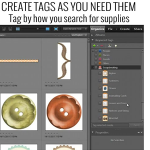
How Do I Begin the Organization Process? You’ll begin by creating tags or keyword tags to organize your digital supplies. Once this is done, Photoshop Elements Organizer makes it quick and easy to find just the right paper or element to complete your layouts. You should start off small, with maybe just importing a couple… [Continue reading]
Creating Albums in Photoshop Elements Organizer
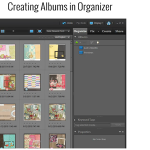
There are various ways to search for your supplies in Organizer and I’d like to share with you yet another quick and easy way by creating Albums, or Smart Albums. Follow along and I show you just how to do this and how it works. We’ll create a Smart Album that will contain all our… [Continue reading]
Back Up the Catalog in Photoshop Elements Organizer
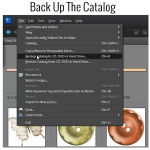
Backing Up The Catalog Backing up the catalog in Photoshop Elements Organizer is a very important step in our organization process. Here are the steps to take to do just that. Click on File>Backup Catalog to CD, DVD, or Hard Drive Choose Full Backup (you will see that you need to choose a full backup… [Continue reading]
- « Previous Page
- 1
- …
- 10
- 11
- 12
- 13
- 14
- …
- 22
- Next Page »