Digital Scrapbooking HQ

Learn to Scrapbook Using Your Computer

  • Blog
  • Classes
  • Book Melissa
  • About
  • Contact

Celebrate in September: Freebies, Prizes and More

September 2, 2013 By Melissa Shanhun 24 Comments

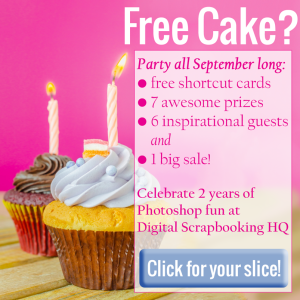
birthday-image

September is birthday month here at Digital Scrapbooking HQ!

For the past two years thousands of women have:

  • Started scrapbooking
  • Got Organized
  • Learn Photoshop Elements

I am excited to be celebrating with you all month long.

Here's a taste of what's coming up!

  • A free Get Organized digital organizing class September 1-10 (yes you can still join in and I'll link you to the days you've missed!)
  • 6 Inspirational guests will be sharing Why they Scrapbook on the Scrapbooking Inspiration audio podcast throughout the month
  • A BIG sale September 13-16
  • A HUGE giveaway September 20-30
  • [2ndRafl]

  • Free printable Photoshop Elements shortcut cards for everyone! (download them today!)Printable Photoshop Shortcuts

I'll be announcing more details soon, so stay tuned!

Melissa1

See my favourite things in the Digi Scrap HQ Store at Amazon.

I am an Amazon affiliate so may receive a commission if you make a purchase.

Filed Under: Special Offers Tagged With: birthday, freebies, giveaway

About Melissa Shanhun

Melissa Shanhun is a Aussie mum of four and avid digital scrapbooker. She loves to show others how fun and easy it can be to record your precious memories with tech tools like Photoshop Elements.

Comments

  1. Joanne K says

    September 6, 2013 at 12:17 pm

    I have installed and uninstalled Photoshop Elements 10 three times. I just got so confused and discouraged, I dumped it.

    When I received the offer for the free organizing course, I thought: ‘At least I can sort my stuff, for the price of the program.’, so I installed it one more time. We are halfway through the organizing course, and I am on track, although I concede I may never be truly organized.

    When I checked out your site, Digital Scrapbooking HQ, I found enough tutorials to actually learn to scrap, for FREE!! I have learned how to open (and use) Elements; at least the very basics. I believe I will be able to scrap with PSE, and like it, with your help.

    I THANK YOU!!

    When I am ready for the next step, I know where to come!!

    Reply
    • Melissa Shanhun says

      September 6, 2013 at 1:59 pm

      Thanks so much Joanne! I am so thrilled to be able to help and I’d love to see any pages you make! 🙂

      With Organizer, even just having the supplies in there means you can search and find things so much more easily!

      Reply
  2. Janet Bagnall says

    September 29, 2013 at 10:20 pm

    I have really enjoyed the classes you provide (I haven’t been able to look at them all, but have them saved to go back when I can). I recently got Photoshop Elements 11 and even though I am still learning how to use it, I like it better than elements 10 so I look forward to getting more time to play. Thanks for a chance to win such an amazing prizes.

    Reply
  3. Alice Boll says

    September 29, 2013 at 11:38 pm

    What an amazing prize pack!

    Reply
  4. Sonja Gortzak-Hughes says

    September 29, 2013 at 11:58 pm

    Melissa, you have taught me so many things on Photoshop Elements I had no idea they were possible. And having ‘only’ PSE 6 I still was able to do 99% of the things you taught us. Really great!

    Reply
  5. SherriS. says

    September 30, 2013 at 12:02 am

    I would love a chance to win! I’ve organized all of my supplies in PSE10 and wish I had done it sooner. It helps me so much – glad I found your website:)

    Reply
  6. Cheryl M says

    September 30, 2013 at 12:36 am

    What a great list of prizes Melissa! Thanks for providing such a wonderful celebration and a chance to win!

    Reply
  7. Tammy Espino says

    September 30, 2013 at 12:37 am

    I really enjoyed your Get Organized class. You have a fantastic teaching style. I learned that I’m trying to tag too intricately and got overwhelmed!

    Reply
    • Melissa Shanhun says

      October 4, 2013 at 9:13 pm

      Tammy – so glad you are making things easier on yourself now. Isn’t it so much quicker now?

      Reply
  8. Ronda Morhaime says

    September 30, 2013 at 12:42 am

    So glad I found you just in time for the Get Organized class. I learned so much. Thanks for the time you took to teach and thanks for the great give away chance.

    Reply
  9. Erica Bryson Alessandrini says

    September 30, 2013 at 12:52 am

    Yay! I just found your site last night. I just switched over to Mac and bought PSE 11. I am trying to get all my supplies moved over, and would love to learn how to get my digi supplies organized. So excited!

    Reply
  10. Darlene says

    September 30, 2013 at 1:26 am

    As I have said…I am thankful for the help on HQ and Melissa….thank you for the chance to win such a wonderful giveaway…this would be fantastic to win and very much appreciated! Good luck to everyone!

    Reply
  11. Sue Taylor says

    September 30, 2013 at 1:53 am

    One of the best things I learned was how to make a page without a template; I was so excited with my completed page! Melissa’s classes are easy to follow and I always learn something new. Thanks Melissa and thanks for the awesome giveaways 🙂

    Reply
  12. Janet Trapp says

    September 30, 2013 at 2:06 am

    WOOHOO! AWESOME GIVEAWAYS!!!

    I have really loved to learn about PSE organizer, still have a ways to go but have really learned a ton of things through Melissa…Thanks so much for all you do! ~God bless~

    Reply
  13. lilola says

    September 30, 2013 at 2:24 am

    Your Get organized class was great! Thanks for the chance to win some awesome giveaways!

    Reply
  14. Nolwenn says

    September 30, 2013 at 3:06 am

    I really enjoyed your Get Organised workshop! Thanks for the chance to win these great prizes, Melissa!
    Quick question: I’m not able to download the PSE shortcut cards, I need to register, then receive the message I am already registered. Any idea what I’m doing wrong? Or are the cards no longer available? Thanks!

    Reply
    • Melissa Shanhun says

      October 4, 2013 at 9:17 pm

      Hi Nolwenn – you can download them direct here:

      http://traffic.libsyn.com/digitalscrapbooking/Cards_Preview_Letter.pdf

      🙂 Melissa

      Reply
      • Nolwenn says

        October 4, 2013 at 9:29 pm

        Thanks Melissa! 🙂

        Reply
  15. Sonya Griffin says

    September 30, 2013 at 3:23 am

    I have learned how to cut my time in half on most things i do!
    Time is everything

    Reply
  16. Kirra Ferguson says

    September 30, 2013 at 6:50 am

    From classes Melissa has taught me how to create and use my own templates.

    Reply
    • Melissa Shanhun says

      October 4, 2013 at 9:17 pm

      Kirra 🙂 that’s really cool!

      Reply
  17. Barbara says

    September 30, 2013 at 7:22 am

    I have learned how to find my digital content in a more timely and organized manner.

    Reply
  18. Elaine North says

    September 30, 2013 at 8:27 am

    Thank you Melissa for all the work you have put into providing us with such an amazing range of knowledge. I especially appreciate the PSE organiser information. Am nearly there. And congratulations on your second birthday. May there be many more.

    Reply
  19. Susan Steinke says

    September 30, 2013 at 11:38 am

    What a great giveaway!

    Reply

Leave a Reply Cancel reply

Your email address will not be published. Required fields are marked *

G’day! I’m Melissa


G’day, I’m Melissa, Aussie mum and digital scrapbook educator. I'm here to help you pair your photos with memories (and fun supplies!) and create your own photo books.
Click Here to Get Started

Search

Youtube

Join us on Facebook

On the Site

ABCs of PSE Adobe Photoshop Adobe Photoshop Elements affiliate Ali Edwards Becky Higgins Christmas Christmas Album Christmas layout ideas Christmas scrapbook Crafts December Daily December Daily Inspiration December Down Under Digital Scrapbook digital scrapbooking digital scrapbook pages Forever giveaway Holiday Faves interview keyboard shortcuts Lain Ehmann Nettio Designs photobook photobooks photo books photo editing Photoshop Photoshop Elements Photoshop Elements Organizer Podcast project life Project Life app PSE13 PSE2021 Scrapbook Scrapbooking Shutterfly templates tools Tutorial tutorials Week in the Life Workshop

Copyright © 2026 Melissa Shanhun 2011-2023

I wish to acknowledge the traditional custodians of the land I live and work on, the Whadjuk (Perth region) people. I acknowledge and respect the continuing Noongar culture and the contribution they make to the life of this city and this region.

Privacy policy

As an Amazon Associate I may earn from qualifying purchases.

We use cookies on our website to give you the most relevant experience by remembering your preferences and repeat visits. By clicking “Accept”, you consent to the use of ALL the cookies.
Do not sell my personal information.
Cookie SettingsAccept
Manage consent

Privacy Overview

This website uses cookies to improve your experience while you navigate through the website. Out of these, the cookies that are categorized as necessary are stored on your browser as they are essential for the working of basic functionalities of the website. We also use third-party cookies that help us analyze and understand how you use this website. These cookies will be stored in your browser only with your consent. You also have the option to opt-out of these cookies. But opting out of some of these cookies may affect your browsing experience.
Necessary
Always Enabled
Necessary cookies are absolutely essential for the website to function properly. These cookies ensure basic functionalities and security features of the website, anonymously.
CookieDurationDescription
cookielawinfo-checkbox-analytics11 monthsThis cookie is set by GDPR Cookie Consent plugin. The cookie is used to store the user consent for the cookies in the category "Analytics".
cookielawinfo-checkbox-functional11 monthsThe cookie is set by GDPR cookie consent to record the user consent for the cookies in the category "Functional".
cookielawinfo-checkbox-necessary11 monthsThis cookie is set by GDPR Cookie Consent plugin. The cookies is used to store the user consent for the cookies in the category "Necessary".
cookielawinfo-checkbox-others11 monthsThis cookie is set by GDPR Cookie Consent plugin. The cookie is used to store the user consent for the cookies in the category "Other.
cookielawinfo-checkbox-performance11 monthsThis cookie is set by GDPR Cookie Consent plugin. The cookie is used to store the user consent for the cookies in the category "Performance".
viewed_cookie_policy11 monthsThe cookie is set by the GDPR Cookie Consent plugin and is used to store whether or not user has consented to the use of cookies. It does not store any personal data.
Functional
Functional cookies help to perform certain functionalities like sharing the content of the website on social media platforms, collect feedbacks, and other third-party features.
Performance
Performance cookies are used to understand and analyze the key performance indexes of the website which helps in delivering a better user experience for the visitors.
Analytics
Analytical cookies are used to understand how visitors interact with the website. These cookies help provide information on metrics the number of visitors, bounce rate, traffic source, etc.
Advertisement
Advertisement cookies are used to provide visitors with relevant ads and marketing campaigns. These cookies track visitors across websites and collect information to provide customized ads.
Others
Other uncategorized cookies are those that are being analyzed and have not been classified into a category as yet.
SAVE & ACCEPT