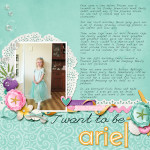
Have you ever ended up with your hands in a death grip after playing in Photoshop Elements? I have, and that is one of the reasons I love keyboard shortcuts. And the reason I love to nudge layers in PSE! Do you know that you can move your layers in Photoshop Elements by pressing the arrow keys? I… [Continue reading]
A Simple Process for Downloading and Backing Up Digital Scrapbooking Files

First things first – your workflow for downloading and unzipping your scrapbooking supplies is up to you! But since I’ve been doing this for nearly 8 years, I’ve refined and streamlined my process and I want share it with you today. So here’s how I download, unzip and back up my supplies: Download zips into… [Continue reading]
I want to put YOU in the scrapping spotlight
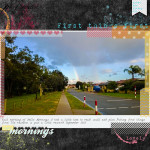
I want to put YOU in the scrapping spotlight! Have you created something you are really proud of? I’d love to see it! Anything you create is welcome: digi, paper or hybrid. [Continue reading]
Inside my Album: Big Boy Bed
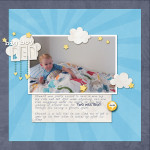
Each week I share a scrapbook layout to give you a little sneak peek into what I’m scrapping. Today I’m sharing a page from my little boy’s album. [Continue reading]
Inside my Album: Lucy’s First Year Album

Take a look inside my album at my daughter’s first year. You too can create a simple Project Life baby album! [Continue reading]
How Much Hard Drive Space Will Photoshop Elements Take?

Are you running out of hard drive space? Worried that Photoshop Elements is taking up all your free space? I have PSE on a desktop computer. I follow you and read your site, but I have not yet tried to do anything. But what I have noticed is how big the PSE application is. I… [Continue reading]
Why your photos aren’t slowing down your computer
Have you ever sat staring at the spinning cursor or beachball or hourglass, waiting for your computer to just. open. the. file? Have you ever thought, maybe all these 40 000 photos are slowing down my computer? Maybe I should move them off onto an external hard drive? The term memory means two different things here: Random Access… [Continue reading]
Simple Scrapbooking Workflow with Photoshop Elements Organizer

So you’ve got all your photos and supplies set up in Photoshop Elements Organizer. Now you come to create a scrapbook page, what do you do first? You may have even wondered how to juggle two catalogs once you have everything loaded in PSE. Today I’ll share my super-simple scrapbooking workflow, so you can try it on… [Continue reading]
Last Chance for Your December Solution
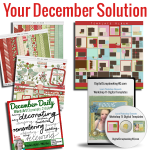
There’s still time to grab your December Solution before it goes away forever! If scrapping your December memories has you tied in knots then this class is the simple solution you’ve been looking for. This collection includes: 31 photo focussed templates (valued at $49) Shutterfly-ready cover (works with Snapfish too!) for a perfect finished… [Continue reading]
Giveaway: True Scrap 7
How would you like to hang out with eight of the most inspiring and talented scrapbooking instructors on the planet… without leaving home? With True Scrap 7, my friend, scrapbooking super hero and all round fun gal is bringing the best in online education to you. With add a twist – everything is LIVE so you don’t… [Continue reading]
- « Previous Page
- 1
- …
- 87
- 88
- 89
- 90
- 91
- …
- 164
- Next Page »