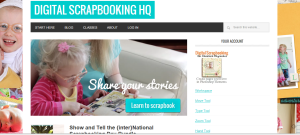
 You may have noticed that things look different here at Digital Scrapbooking HQ. If you haven't noticed you must be reading this post in Feedly, or another blog reader - click on this link to come check us out!
I've been working hard to make the site easy to navigate on your phone, tablet and of course your PC.
The main features of the site are still easy to access from the menu:
- Start here - The visual index of tutorials
- Blog - A full listing of all the posts
- About - Meet Melissa! (and contact me too)
- Classes - The Store where you can learn about digital scrapbooking, photo organizing and more.
- Log in - For the classes you've purchased
- Search box - So you can find what you are looking for
When you do log in, all your classes are still available in the sidbar (scroll to the very bottom on your phone).

See my favourite things in the Digi Scrap HQ Store at Amazon.
I am an Amazon affiliate so may receive a commission if you make a purchase.


I am having trouble logging in , I always get your old site. and can’t find me way here without difficulty.
I’m not sure what you mean by my old site?
At the very top it says Howdy Valerieand then further down on this page it says Log in.
It seems to be o.k. now
I’m glad to hear it! When it says Howdy Valerie, that means you are already logged in. The log in menu option is always there. You should see your classes on the right hand menu
‘i love the new look!
Great new look and it seems a bit easier to get around. Always love a visit here!