Photoshop Elements is celebrating its 20th birthday this year and Adobe has released the new version. As usual, I’m here to walk you through the new features. You can watch my full video review here. [Continue reading]
Should You Upgrade to Photoshop Elements 2022?
Do you need to upgrade? Whether you are photo editing, posting to social media, making slideshows or editing videos, here’s the scoop. [Continue reading]
Lightroom vs Photoshop Elements Organizer 2021
What’s the difference between Photoshop Elements Organizer and Adobe Photoshop Lightroom? [Continue reading]
GIVEAWAY: Photoshop Elements 2021!

Are you ready for the biggest giveaway in Digital Scrapbooking HQ history? To celebrate our 10th birthday, I’ve been collecting fabulous prizes to share with you and I’m starting off with a bang!! First up is Adobe Photohop Elements 2021 – this is the software I use for most of my digital scrapbooking. [Continue reading]
ABCs of PSE: Z is for Zoom

Today we learn more about the Zoom tool under the Select sections of the toolbox in Photoshop Elements 2021. The zoom tool is the quick and easy way to see all the details in your image. [Continue reading]
ABCs of PSE: Y is for Eye Tool
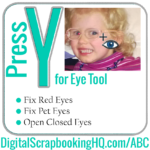
In our penultimate episode of the ABCs of PSE we are looking at the eye tool. It’s had a big glow up from the last time I covered it! You can fix red eyes, pet green eye reflection and open closed eyes with the Eye Tool. [Continue reading]
ABCs of PSE: X is for Exchange Colors

Today we learn more about the shortcut X for Exchange colors. You can swap the foreground and background colors by clicking the little arrow next to the color section at the bottom of the toolbox. Or simply press the x key to exchange the colors. [Continue reading]
ABCs of PSE: W is for Recompose
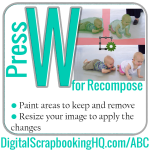
Today we learn more about the Recompose tool under the Modify Section of the Photoshop Elements 2021 toolbox. The Recompose tool allows you to resize the proportions of your image without distorting specific object in the image. Clear as mud? Watch my video to see it in action! [Continue reading]
ABCs of PSE: V is for Move

The move tool can move a selected layer (or group or multiple layers) around on the canvas. Use the arrange, align and distribute tools in the tool options to align your layers perfectly. [Continue reading]
ABCs of PSE: U is for Custom Shape

Today we are looking at the eight tools that make up the Custom Shape tool in the Draw section of the Photoshop Elements 2021 tool box. This way you can create a vector-based shape within your Photoshop documents. [Continue reading]
- « Previous Page
- 1
- …
- 6
- 7
- 8
- 9
- 10
- …
- 30
- Next Page »