Frustrated as a slow scrapper? Want to be more comfortable in Photoshop Elements? I can help! March Free Workshop: Scrapbooking Shortcuts Want to scrapbook more quickly? Want perfect photobooks every time? Tired of resizing to share online? Wish you knew all the insider shortcuts? Join me to learn about shortcuts, scripts and actions that… [Continue reading]
Find Any Untagged Supplies in Organizer
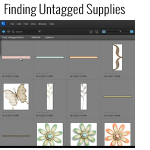
Have you been tagging your supplies in Organizer yet? If so, you’re probably wondering how in the world you know if you’ve got them all tagged. Well, there’s a couple ways to find out. So easy Use the shortcut Control+Shift+Q on a PC or Command+Shift+Q on a Mac, OR Go up to the top menu… [Continue reading]
Organize your Digital Scrapbooking Supplies
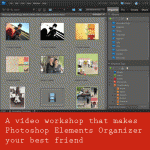
Overwhelmed by Piles of Digital Scrapbooking Kits? Do you have piles of digital scrapbooking supplies? Do you have a mess of folders on your computer? Do you want to get organised quickly? Join me to learn how to use Photoshop Elements Organizer I’ll show you: Simple ways to organise your supplies – saving hours of… [Continue reading]
Best Photo Forward: Refining Photos of Fine Embroidery
Are you constantly frustrated by lackluster photos of your creations? Would you love your photos to reflect the true beauty of your handiwork? Would you like to share your photos online quickly with clear details? Want to make your craft projects Pinterest-worthy? Jen and I are here to help. Best Photo Forward: Refining Photos of… [Continue reading]
Free workshop: Digital Scrapbooking Organization
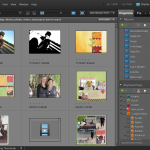
There’s just a few days left to register – so jump to it! Do you have piles of digital scrapbooking supplies? Do you have a mess of folders on your computer? Do you want to get organised quickly? Join me to learn how to use Photoshop Elements Organizer to organise your digital scrapbooking supplies. Simple… [Continue reading]
Layout a Day: Going Strong
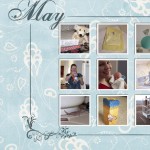
I just wanted to share with you some of the layouts I’ve been creating this month as part of LOAD 212. Created with Admarket’s flickrSLiDR. See my favourite things in the Digi Scrap HQ Store at Amazon. I am an Amazon affiliate so may receive a commission if you make a purchase.
50% off Photoshop Elements 10 today only!
Photoshop Elements 10 is half price! Photoshop Elements 10 is on sale for 50 percent off! So for around $50 you can enjoy text on a path, quick photo fixes, masking and more. Want to learn more about PSE10? Check out my Photoshop Elements 10 Review here. This sale ends 14th of February so jump on… [Continue reading]
Need to get your supplies under control? Learn how in this free workshop
Do you have piles of digital scrapbooking supplies? Do you have a mess of folders on your computer? Do you want to get organised quickly? Join me to learn how to use Photoshop Elements Organizer to organise your digital scrapbooking supplies. Simple ways to organise your supplies How to import your supplies into the Photoshop… [Continue reading]
Create a Dotted Border in Photoshop Elements

A question from Tania: I have been driving myself nuts trying to figure out if it’s possible to do dot borders in Photoshop Elements. They don’t have to be this shape specifically but any of the tutorials I have been able to find online don’t seem to work out as they should. Is it possible… [Continue reading]
Digital Gift Ideas Workshop
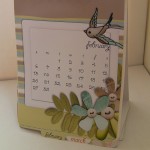
Get a head start on your gifts for 2013 In this workshop I’ll teach you how create a custom gifts using Photoshop Elements. Includes 2013 calendar templates to create the calendar above, plus lots of gift ideas. I’ll be walking through the steps to create some of the other gifts and related gift giving fun!… [Continue reading]
- « Previous Page
- 1
- …
- 22
- 23
- 24
- 25
- 26
- …
- 30
- Next Page »