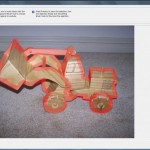
Today I thought I’d highlight some handy tips for extracting photos in Photoshop Elements. I try to make it easy on myself by selecting a photo with a fairly defined image to extract. Please note, the magic extractor isn’t available in PSE10 and newer. Here’s my starting point. This one is not too easy as… [Continue reading]
Commands you Need to Know
There’s lots of power in the menus of Photoshop Elements – here are three essentials that will help you get through your first few layouts: See my favourite things in the Digi Scrap HQ Store at Amazon. I am an Amazon affiliate so may receive a commission if you make a purchase.
The Marquee Tool
Marquee Tool Want to cut out your photo to fit into a frame? Want to cut your paper into a strip? You need the marquee tool! The marquee tool creates a selection. Selections can be used to modify your photographs or digital scrapbooking elements in lots of different ways. One common way you’d use a… [Continue reading]
The Text Tool
Text Tool Want to add journalling to your layout? Need to add a photo caption or date? The text tool is what you need! The text tool in Photoshop Elements is similar to what you see in your Word Processor. This video walks you through the options you can use for your text. Text tool… [Continue reading]
Digital Scrapbooking Primer: The Zoom Tool
The Photoshop Elements toolbox can be overwhelming- but you’ll be thankful that you don’t need to know how to use all of them to get started digital scrapbooking. I’m going to run you through the only four tools you need to start digital scrapbooking. If you use a template you may even be able to… [Continue reading]
The Move Tool
Want to move your photos, embellishments and papers around on your scrapbook page? Get moving with the move tool! The Move tool on the upper left of the toolbox is the default tool when you begin using Photoshop Elements. If you find it’s not selected click on the arrow icon or press V on the… [Continue reading]
What I’ve been making lately
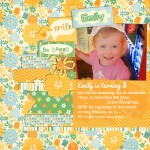
I’ve been busy creating a lot of content for our new Digital Scrapbooking Primer (DIGITAL SCRAPBOOKING PRIMER IS NO LONGER AVAILABLE. CHECK OUT DIGITAL SCRAPBOOKING FOR ABSOLUTE BEGINNERS) and the website, but I’ve still had a chance to do a bit of scrapbooking too. Here’s what I’ve been up to. Baby Announcements Invitations With a… [Continue reading]
Starting in the Photoshop Elements Workspace
Are you brand new to Photoshop Elements? I’ll show you around the Photoshop Elements workspace, giving you the essentials in under 3 minutes. Click to start playing the video – then you can click on the far right button (4 arrows outwards ) to watch these videos in full screen mode. See them in all their… [Continue reading]
Photoshop Elements Top Text Tips
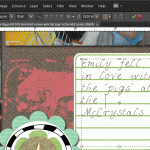
I was invited to share my top text tips for Digital Scrapbooking over at Digishoptalk. Head over to read my Text Tips article now to learn: How to journal on the lines for more realistic journalling Create an instant alpha by clipping your paper to text Make your text even on both left and right margins… [Continue reading]
Photoshop Elements Coupon for up to $50 off

Photoshop Elements 10 Dads and Grads Sale Use the coupon code ELEMENTSMAY for $20 off Photoshop Elements or $50 off Photoshop Elements & Premiere Elements Bundle. Upgrade to Photoshop Elements 10 to enjoy text on a path, quick photo fixes, masking and more. Want to learn more about PSE10? Check out my Photoshop Elements 10… [Continue reading]
- « Previous Page
- 1
- …
- 20
- 21
- 22
- 23
- 24
- …
- 30
- Next Page »