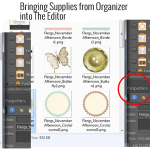
Can I open my files from within Photoshop Elements Organizer and get them into Photoshop Elements Editor? You certainly can and there are several ways to do it. You can select an element from within Organizer and in the panels on the right hand side of your screen, down toward the bottom, you’ll see… [Continue reading]
Fabulous Photos Workshop – Selective Coloring

In this post, Cheryl shares a photograph she made fab using the techniques she learnt in the Fabulous Photos workshop Have you noticed photographs online that are black and white, yet have one special part of the photo that is in color? Melissa teaches exactly how easy it is to do in her Fabulous Photos Workshop. I was… [Continue reading]
Stone the Crows! Australia Day’s round the corner – ridgy didge offer inside

G’day It’s almost Australia Day, so I’m throwing caution to the wind and having a fair dinkum sale to celebrate Australia Day long weekend. I’m selling the Digital Scrapbooking Primer for just $39. Is this the best deal ever? You’re not wrong! This pearler of a deal will to get you scrapbooking faster than a… [Continue reading]
New Shutterfly DigiScrap Style Makes it Easy to Create a Photobook
Shutterfly has just released a new photobook style for Digital Scrapbookers – see it in action here: This style has full bleed photo spots for the cover spine, title page, and inside pages. So all you need to do is upload your layouts and drag them on. Here’s where to access the new Digiscrap Photo… [Continue reading]
How to create a custom calendar topper with Shutterfly and Photoshop Elements
Are you working on a last minute calendar? You can save 20% on calendars right now at Shutterfly Enter code: CAL20 Watch as I show you how to convert a 12×12 digital page so that it will fit your calendar topper perfectly! Let me know if you’d like a tutorial on a specific Shutterfly feature… [Continue reading]
How to customise a papercraft template in Photoshop Elements
Would you like to add text, digital papers and embellishments to your hybrid crafting template? If you have a 3d papercraft template (such as those by Kelleigh Ratzlaff, Mari Koegelenberg, etc) you can open up the PSD files provided in Photoshop Elements. Watch as I walk you through customising a hybrid template from Kelleigh Ratzlaff. If… [Continue reading]
Creating Tags for Your Digital Supplies
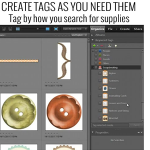
How Do I Begin the Organization Process? You’ll begin by creating tags or keyword tags to organize your digital supplies. Once this is done, Photoshop Elements Organizer makes it quick and easy to find just the right paper or element to complete your layouts. You should start off small, with maybe just importing a couple… [Continue reading]
Creating Albums in Photoshop Elements Organizer
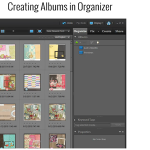
There are various ways to search for your supplies in Organizer and I’d like to share with you yet another quick and easy way by creating Albums, or Smart Albums. Follow along and I show you just how to do this and how it works. We’ll create a Smart Album that will contain all our… [Continue reading]
Back Up the Catalog in Photoshop Elements Organizer
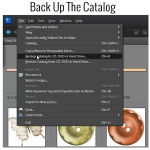
Backing Up The Catalog Backing up the catalog in Photoshop Elements Organizer is a very important step in our organization process. Here are the steps to take to do just that. Click on File>Backup Catalog to CD, DVD, or Hard Drive Choose Full Backup (you will see that you need to choose a full backup… [Continue reading]
Your Christmas Gift Inside: Free Workshops for All

Photoshop Help Live My gift to you this Christmas Merry Christmas Everyone, I’m lining up the best questions that I’ve received this year to answer live – and you are invited. When: 8:30pm EST Sunday 9th (9:30am Monday 10th December WA time) Just register here and you’re in! You can send your questions when you register, or by… [Continue reading]
- « Previous Page
- 1
- …
- 18
- 19
- 20
- 21
- 22
- …
- 30
- Next Page »