Today I want to show you how you can add brushwork or a frame to your photograph. Have you seen thousands of gorgeous Photoshop brushes online? Did you know you can use them in Photoshop Elements? Use brushes to add personality, distressing and even a title spot to your photo. Add Brushwork to a Photo… [Continue reading]
Don’t Retag: How to Convert Your Old Photoshop Elements Catalog
I took your class on organizing supplies. I learned a few things from the class… but I am sure I missed something. I appreciate the help as I am retagging 13 years of photos and 30,000 plus items because I moved PSE 11 and it WILL not recognize my catalogs from PSE 10. UGH! Thank you,… [Continue reading]
Drag, Drop and Float: How to keep layers at their best in Photoshop Elements
Updated for Photoshop Elements 2023 Melissa On the Digi Show Episode 111: It’s Fabulous, there was some discussion over dragging and dropping files as smart objects in Photoshop. In the comments, Jennifer Kellogg asks I’m a new digi scrapper. I like to kit scrap. I’ve got PSE12. What is the best way to use a… [Continue reading]
Jump-start your page design with Suzy Q Scraps
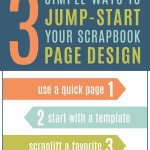
Today I’ve invited Suzy Iverson of Suzy Q Scraps to share some of her favourite scrapbooking tips, and I’m excited that she’s sharing some inspiring and easy ways to get those pages scrapped. Suzy Q is a featured designer in Digi Scrap from Scratch, you can find out more about her in our recent audio… [Continue reading]
ABCs of PSE: Z is for Zoom

Did you know PSE has some different tools to full Photoshop and different keyboard shortcuts? Stop the confusion with the ABCs of PSE! Z is for Zoom! Zoom in to correct fine details – zoom out for a birds eye view. ZOOM TIP: Click to zoom in by default. ZOOM TIP: Alt or Option Click… [Continue reading]
ABCs of PSE: Y is for Red Eye

Did you know PSE has some different tools to full Photoshop and different keyboard shortcuts? Stop the confusion with the ABCs of PSE! Y is for the Red Eye tool. Just click on a red pupil and PSE will instantly fix it! Watch me use the Red Eye tool and fix my photos in less… [Continue reading]
ABCs of PSE: X is to Swap Colours
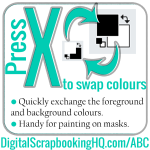
Did you know PSE has some different tools to full Photoshop and different keyboard shortcuts? Stop the confusion with the ABCs of PSE! Press X to swap your foreground and background colours. COLOUR SWITCH TIP: When using a layer mask it’s handy to use X to switch between black and white. COLOUR SWITCH TIP: Black… [Continue reading]
ABCs of PSE: W is for Recompose
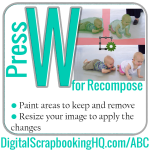
Did you know PSE has some different tools to full Photoshop and different keyboard shortcuts? Stop the confusion with the ABCs of PSE! W is for Recompose. Get a better photo thanks to PSE magic. Watch how to use the recompose tool. A great tutorial on how to use the recompose tool. Have Photoshop Elements 8?… [Continue reading]
ABCs of PSE: V is for Move
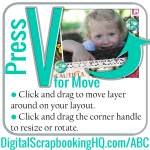
Did you know PSE has some different tools to full Photoshop and different keyboard shortcuts? Stop the confusion with the ABCs of PSE! Press V for the Move tool. Just click and drag to move layers on your layout. Learn how to create a whole digital scrapbook layout in 4 minutes using just the move… [Continue reading]
ABCs of PSE: U is for Custom Shape
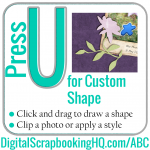
Did you know PSE has some different tools to full Photoshop and different keyboard shortcuts? Stop the confusion with the ABCs of PSE! Press U for the Custom Shape tool. Create your own shapes as embellishments. Watch how to clip your photo or paper to a custom shape. CUSTOM SHAPE TIP: Draw a shape, put… [Continue reading]
- « Previous Page
- 1
- …
- 9
- 10
- 11
- 12
- 13
- …
- 21
- Next Page »