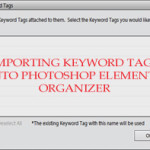
Are you coming from another organizing system? Would you like to preserve your keyword tags? When you import files into Photoshop Elements Organizer it will see the keyword tags from any other system that write to the Metadata of your Photos (eg Picasa, Windows Live Photo Gallery, Lightroom) you then get an option to import… [Continue reading]
Creating Tags for Your Digital Supplies
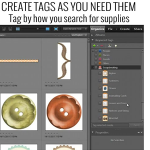
How Do I Begin the Organization Process? You’ll begin by creating tags or keyword tags to organize your digital supplies. Once this is done, Photoshop Elements Organizer makes it quick and easy to find just the right paper or element to complete your layouts. You should start off small, with maybe just importing a couple… [Continue reading]
Creating Albums in Photoshop Elements Organizer
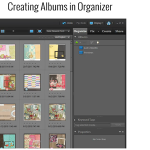
There are various ways to search for your supplies in Organizer and I’d like to share with you yet another quick and easy way by creating Albums, or Smart Albums. Follow along and I show you just how to do this and how it works. We’ll create a Smart Album that will contain all our… [Continue reading]
Back Up the Catalog in Photoshop Elements Organizer
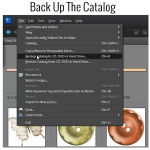
Backing Up The Catalog Backing up the catalog in Photoshop Elements Organizer is a very important step in our organization process. Here are the steps to take to do just that. Click on File>Backup Catalog to CD, DVD, or Hard Drive Choose Full Backup (you will see that you need to choose a full backup… [Continue reading]
How to find a needle in a haystack
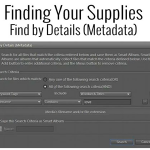
How can I search for my supplies and what is metadata? I know it sounds really technical, but don’t let the word metadata scare you off. It is what will be making it easy for you to find your supplies at the click of a button! Photoshop Elements Organizer creates a database of your files,… [Continue reading]
Organizing the Digi Files
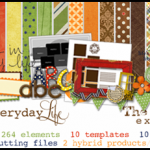
Do you have a few months of Digi Files sitting on your desktop? I’m sure you aren’t the only one! I contributed to a post over at the Daily Digi about using and organising the Digi Files This is my process – Download into a TDF## folder in my Digi folder on my PC (The… [Continue reading]
Import your photos or supplies without lifting a finger
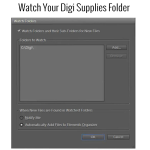
You can have Organizer notify you when there are new supplies or photos to be imported. If you are running Photoshop Elements Organizer on a PC, you can easily set up a Watch Folder in Elements Organizer that will actually watch for any new digi supplies or photos you have added since last time you… [Continue reading]
Photoshop Elements 11: First Look Recording

We’ve just finished taking our first look at Photoshop Elements 11. It’s great to see that so many of you were keen to join me for an inside look. In case you missed it: Photoshop Elements 11 in High Resolution Click on the button at the bottom right to watch in beautiful high definition! Read… [Continue reading]
Newsflash! Learn more about Photoshop Elements 11

Have you heard the news? Photoshop Elements 11 is now available. What does this mean for you? See my favourite things in the Digi Scrap HQ Store at Amazon. I am an Amazon affiliate so may receive a commission if you make a purchase.
Lesson 6: Organize your Supplies
As a records manager, my day job was spent organising and I studies many units on searching methods and organising information in my years at university. So I just love organising! In this lesson you will see that you don’t need a degree to get your supplies under control with Photoshop Elements Organizer. Dive in… [Continue reading]