
Today is the day! My brand new class with Big Picture Classes is now live! If your photos are a mess you are in luck. I can help you turn your photos from mess to magic. In this class, I’ll walk you through the process of getting your photos into one place. Using Photoshop Elements… [Continue reading]
Digital Scrapbooking HQ is Turning 7!

On the 7th of September 2011, I took a leap of faith and started Digital Scrapbooking HQ. I had already been teaching digi-scrapping in person and had done 6 months of online workshops, it was time for a real home on the web. At Digital Scrapbooking HQ, we have digi-scrappers from all over the world… [Continue reading]
Find Your Family
You have 50,000 digital photos and you can’t find that one perfect shot of your little one. If your photos are a mess, you are in luck! I’m here help you find your family! Would you like your photos to feel less like a mess and more like magic? I can help! I cherish these… [Continue reading]
Vacation Scrapping While Vacationing

I’ve invited Michele Anderson to share with you how she completes vacation scrapping while still on vacation! Take a look at her process. I’ve spent some time over the last couple years and last few vacations creating a system that allows me to scrap on the go and return with a completed trip documented. With a… [Continue reading]
Mask Modifier Magic
Hidden behind every command in Photoshop and Photoshop Elements is the magic of the mask modifier keys. Holding down alt, cmd, or ctrl keys unleashes powerful, time-saving shortcuts that every scrapbooker should know about. [Continue reading]
Mask It and Move It

Ever find yourself fiddling with the cropping of a photo? Just mask it and move it! [Continue reading]
App to Scrapped: Add More to Your Phone Photos with Photoshop Elements

When you have a smartphone, it’s super easy to whip up cute phone photos using all the apps available to us. Did you ever think to bring those images in to Photoshop Elements for a little bit of fine-tuning? Here’s a few ideas of how you can add a little something-something in Photoshop and upgrade those app pages! [Continue reading]
Get Your Photos Into Your Life

You’ve been digi scrapping for awhile now so you’ve got all the basic supplies you need. (And if you don’t head here to check out the ultimate digital scrapbooking setup!) Whether its your favorite layouts, or just the pics you love, wouldn’t it be nice to have those on display? It’s time to get your photos into your life! [Continue reading]
Find your Project Life and Pocket Scrapbooking Style Cards
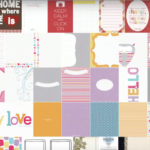
There is an easy way to find your Project Life and Pocket Scrapbooking Style cards in your digital scrapbooking supplies. Learn how to create saved searches to find whichever size of card you need. You can also create custom tags to tag your cards for instant retrieval. [Continue reading]
Organizing your Pocket Scrapping and Project Life Cards
Do you have a little collection of pocket scrapping cards? Maybe a large collection? If you’ve ever spent too much time trying to find all your pocket scrapbooking and Project Life cards you are in the right place. I’ve got literally thousands of cards. Like 3745 at the time of this writing…. Today I’ll share a quick way to manage your cards in Photoshop Elements Organizer. [Continue reading]
- « Previous Page
- 1
- …
- 10
- 11
- 12
- 13
- 14
- …
- 37
- Next Page »