
Debbie Hodge has just created a fun quiz to determine your scrapbooking and I just had to share it with you! What is your scrapbooking style? When style is understood it becomes the long bar that lets you flip a boulder (or get a stack of photos scrapbooked) without breaking a sweat. So let’s find out… [Continue reading]
Using Photoshop Elements to organize and scrap

For the past several months, I’ve been writing for the Daily Digi. So today, I thought I’d share a little more about my recent articles there. If you are looking to make Photoshop Elements work for you, you will find several articles over at the Daily Digi: Effortless Organizing in Photoshop Elements An introduction to… [Continue reading]
Save 25% off Rad Lab today!

If you’ve been around the scrapbooking world for a little while, you may know that Rad Lab by Totally Rad is a super popular plugin that you can use to easily edit your photos. With just a few clicks you can apply filters and adjust them, and even save them as recipes to reuse later. Did you… [Continue reading]
GIVEAWAY: Scrapbooking Outside the Pocket
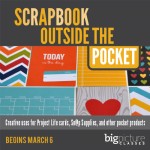
Add new life to your scrapbooking and get more use out your pocket-style scrapbooking products in this new workshop from Monica Bradford [Continue reading]
Drag, Drop and Float: How to keep layers at their best in Photoshop Elements
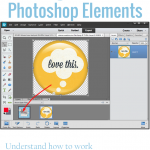
Updated for Photoshop Elements 2023 Melissa On the Digi Show Episode 111: It’s Fabulous, there was some discussion over dragging and dropping files as smart objects in Photoshop. In the comments, Jennifer Kellogg asks I’m a new digi scrapper. I like to kit scrap. I’ve got PSE12. What is the best way to use a… [Continue reading]
Pocket Scrapbooking Options for Digital Scrapbookers
Today I spent 5 hours with a group of 7 women at my home all telling their story with little 4×6 and 3×4 cards and photos.
If you are wondering how you could use pocket pages alongside your digital pages, read on… [Continue reading]
Troubleshooting Photoshop Elements Organizer
Get help for your Photoshop Elements Organizer woes. [Continue reading]
Get the Insider’s Guide to Designing
Thinking about designing or teaching? Learn from the best in the Digital Scrapbooking industry and jump start your business today [Continue reading]
Jump-start your page design with Suzy Q Scraps
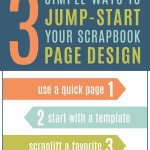
Today I’ve invited Suzy Iverson of Suzy Q Scraps to share some of her favourite scrapbooking tips, and I’m excited that she’s sharing some inspiring and easy ways to get those pages scrapped. Suzy Q is a featured designer in Digi Scrap from Scratch, you can find out more about her in our recent audio… [Continue reading]
ABCs of PSE: Z is for Zoom

Did you know PSE has some different tools to full Photoshop and different keyboard shortcuts? Stop the confusion with the ABCs of PSE! Z is for Zoom! Zoom in to correct fine details – zoom out for a birds eye view. ZOOM TIP: Click to zoom in by default. ZOOM TIP: Alt or Option Click… [Continue reading]
- « Previous Page
- 1
- …
- 117
- 118
- 119
- 120
- 121
- …
- 164
- Next Page »