This lesson is part of a class and is not available to the public. [Continue reading]
Get Organized: Supplies 2018 – Lesson 4
This lesson is part of a class and is not available to the public. [Continue reading]
Get Organized: Supplies 2018 – Lesson 3
This lesson is part of a class and is not available to the public. [Continue reading]
Get Organized: Supplies 2018 – Lesson 2
This lesson is part of a class and is not available to the public. [Continue reading]
Get Organized: Supplies 2018 – Lesson 1
This lesson is part of a class and is not available to the public. [Continue reading]
Text on a path in Photoshop Elements
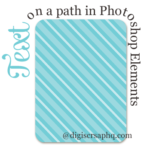
When you scrap with paper and pen, it’s easy to write your text where ever and however you like on the scrapbook page. Journal around the edge of the page? Easy! Write a title around the curving edge of a flower? No problem. In the past, it wasn’t so easy for digital scrapbookers. But all that has now changed! [Continue reading]
LOAD218: Choose Your Own Scrapbook Adventure

Did you LOVE the Choose Your Own Adventure books when you were younger? There’s something special in being able to be the boss and choose the fate of your story. That’s exactly what we’re doing for LOAD218 Choose Your Own Scrapbook Adventure. [Continue reading]
Instant Photo Spots
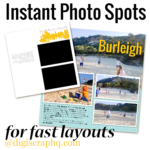
It takes just one click to make consistent photo spots for your scrapbook layouts. Learn how. [Continue reading]
Import Keyword Tags into Photoshop Elements Organizer
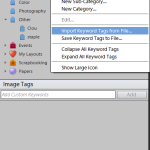
Learn how to import keyword tags into Photoshop Elements Organizer. To start organizing, your digital scrapbooking supplies, I recommend downloading the Starter Keyword Pack. [Continue reading]
Customizing Photoshop Elements
Do you like floating windows, neat tabs, or a combination of both? Photoshop Elements 11 and later has a variety of options for you to customize the look and arrangement of your workspace. [Continue reading]
- « Previous Page
- 1
- …
- 54
- 55
- 56
- 57
- 58
- …
- 154
- Next Page »