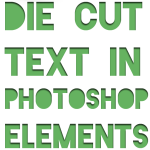
Have you noticed the hot trend of negative die cut text effects on scrapbook pages around the world? Since the introduction of Silhouette America’s Cameo, die cut text had had a revival. Plus, with the accurate cutting scrapbookers are now able to re-use the negative space on their layouts. Or, more likely, they just use… [Continue reading]
Import Keyword Tags From Photo Metadata
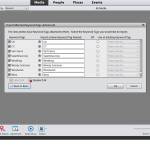
If you have lots of photos from tagging photos in Picasa, Windows Photos Gallery, Lightroom or Aperture or even older versions of Photoshop Elements you’ll be thrilled to know you won’t have to re-tag things even if you start a new catalogue from scratch in Photoshop Elements versions 6 and up. Simply drag a folder (or folders)… [Continue reading]
Copying Text into Photoshop Elements with the Type Tool
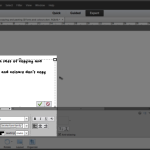
Don’t you love the convenience of having your spelling and grammar corrected before you print your digital scrapbooking layouts? While Photoshop Elements doesn’t have a spell check feature (Photoshop CS does), you can harness the power of Microsoft Word or another word processor to help you save the slip ups. But before you get all… [Continue reading]
How to Shop for Digital Scrapbooking Supplies
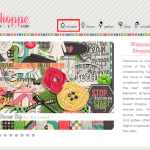
Here’s an inside look at the process for purchasing digital scrapbooking supplies. In this example, I am demonstrating with the Sweet Shoppe, but I also shop with: The LilyPad Forever When you arrive at the site, you’ll usually need to look for a link or icon that says shop. You may need to look hard!… [Continue reading]
How to change the shape of the Brush Icon in Photoshop Elements
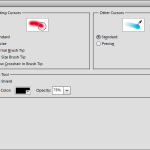
One of my subscribers, Amit wrote with a question last week: I have lost the shape of my brush Icon. When I move my mouse over the screen, there is a target and not a round or square shape, what am I doing wrong? How can I get the shape back? Great question! To handle… [Continue reading]
Save $50 on RadLab today

Did you know that professional photographers do some sort of editing to every photo? Yes, it’s true. Now, I don’t suggest you edit every photo that way. But what if I shared with you the tool I use to take my favourite photos to the next level? What if it was a SIMPLE tool that… [Continue reading]
Use the Vertical Type Tool to create a Title in Photoshop Elements
So you create a title and rotate it 90 degrees. BUT if that’s not what you want! Watch this video to see how to create a truly vertical title. Watch a learn how to use the vertical type tool in Photoshop Elements. See my favourite things in the Digi Scrap HQ Store at Amazon. I… [Continue reading]
$50 off Photoshop & Premiere Elements 11 today only!

Save $50 off Photoshop & Premiere Elements 11 ! One Day Only! Save $50 on Adobe Photoshop Elements & Premiere Elements Bundle. Enter code: ONEDAYDEAL Buy today and you can enjoy a new lighter inteface, much improved Organizer text on a path, quick photo fixes, masking and more. PLUS you’ll have the Premiere Elements video editing… [Continue reading]
How to Write Metadata in Photoshop Elements Organizer
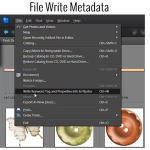
It’s easy to save your work and write your metadata to file in Photoshop Elements [Continue reading]
Disconnected Files in Photoshop Elements Organizer
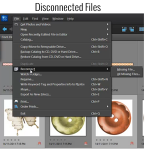
Moving Your Files Have you moved any of your files outside of Photoshop Elements Organizer? Maybe you moved some of your digital supply file folders at a time when you weren’t using Organizer. Organizer won’t automatically recognize the move. When you next use Organizer, you may get a message that some files were “disconnected”. Here’s… [Continue reading]
- « Previous Page
- 1
- …
- 17
- 18
- 19
- 20
- 21
- …
- 30
- Next Page »