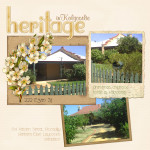
Are you inspired to tell the stories of your family’s favourite getaway? Would you love to share the story behind a local landmark? Telling stories about your childhood home, your town, and your travels can be complex, if you are dealing with photos from multiple cameras. Time moves on and you can’t quite remember where… [Continue reading]
Why You Don’t Need to Upgrade to Start Digital Scrapbooking
Updated February 2025 Each year, like clockwork, Adobe releases a new version of Photoshop Elements to the world. This year it is Photoshop Elements 2020 that’s all new and exciting. But, not everyone needs to upgrade. 1. You can do more than you think Back when I started in PSE6 (circa 2008) I’d been using… [Continue reading]
World Card Making Day 2015
I may be an all digi scrapper, but I still love pulling out the paper and pretties to make handmade cards every month or two. Since today is World Card Making Day 2015, I thought I’d share some of my favourite card making classes, posts and events. Card Making Classes Would you like to make your own… [Continue reading]
Little Known Features in Photoshop Elements 14

There’s several headline-grabbing features in any new version of Photoshop Elements and I’ve covered them at the Daily Digi. I’ve also highlighted some great new features in PSE Organizer here. But in any new upgrade it’s the little improvements that I really enjoy. New Welcome Screen On the welcome screen you can now open recently used files… [Continue reading]
New Features in Photoshop Elements 14 Organizer
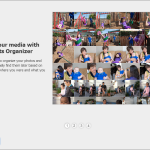
It’s no secret that I love Photoshop Elements Organizer. I’ve created several classes to show you how to manage your photos and digital scrapbooking supplies in the Organiser. New User Guide Now when you first open up the Organizer there’s an improved guide for new users. It walks you through getting started in Organizer and explains… [Continue reading]
Understand Layers in Photoshop Elements
But what are layers? Layers. This one word stops many would-be digi scrappers in their tracks. But, I’d argue that layers are almost the best part of digital scrapbooking (SPOILER ALERT: the best part is the Undo button!) First, the classic Adobe definition… Layers are like stacked, transparent sheets of glass on which you can… [Continue reading]
Add a frame and text to your photos with Photoshop Elements

Have you ever wanted to add a little more to a photo? Maybe add a border? Or a caption? See how I combine these two techniques for a fun photo effect. Plus, as a bonus, I also show you the built-in frames within Photoshop Elements. Add a border or frame to your image It should… [Continue reading]
How to Import and Edit Photos on your Computer
Experts say the average person takes 150 photos a year. Really? I think that’s an understatement. Each day we are adding to the collections on our phones, cameras and tablets. It can get a little overwhelming… BUT there’s a way to keep all your photos safe and secure and easy to browse. Photoshop Elements! Photoshop Elements is… [Continue reading]
Stop fixing photos – start taking better ones

I can’t take you to the next level in photography, but with this awesome bundle of classes and ebooks you can take stunning photos [Continue reading]
Create a Collage in Photoshop Elements

It’s simple to create a photo collage in Photoshop Elements using the Create Tab. This collage could be printed used on a paper or hybrid page, or you could open the PSD and add in some digital supplies. Of course, you could keep it simple and just stick with the finished collage. Watch the video… [Continue reading]
- « Previous Page
- 1
- …
- 12
- 13
- 14
- 15
- 16
- …
- 30
- Next Page »