
Learn how to match colors perfectly! The color picker tool adds your selected color from your image as for the foreground color. [Continue reading]
ABCs of PSE: H is for Hand Tool
Come learn how the Hand tool is used to move the canvas around in your work area without moving any layers. [Continue reading]
ABCs of PSE: G is for Gradient
Watch the video for my tutorial on how to use the gradient tool and some practical applications in photo editing. [Continue reading]
ABCs of PSE: Get to Know Photoshop Elements
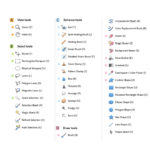
Have you ever wished you knew what to do with all the tools in Photoshop Elements? Have you ever accidentally pressed a key on the keyboard and activated an obscure tool that you don’t know how to use? Do you wish you knew the ninja keyboard tricks that PSE pros use to move their photo… [Continue reading]
Time for a Youtube Celebration!

Digi Scrap HQ Youtube channel has passed 4000 subscribers – it’s time to celebrate! The channel has over 240 videos covering everything from photo editing to scrapbooking to printing to organizing. So where should you start? I’ve rounded up the top 10 videos that people are loving this year to give you a place to begin. [Continue reading]
Should I Upgrade to Photoshop Elements 2021?
Let’s look at your current version and your photo editing needs to see if you should upgrade! [Continue reading]
Digital Scrapbook Process Video: Dance

This week as a special bonus I am sharing the full process video for the creation of this layout. I was thrilled to be invited back as a featured designer for the Scrap Happy Layout a Day: Memories Managed this February. Today’s prompt was: Quidditch. What was your favourite sport to play? What games do you play… [Continue reading]
How to Edit a Photo in Quick Edit Mode
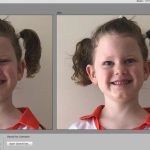
The Quick Edit Mode is a great way to get started editing photos in Photoshop Elements. If you haven’t used Photoshop Elements before it will help you easily access the most common photo-editing options in a nice logical order. [Continue reading]
Fix your Photos Easily with Photoshop Elements

Do you have a photo that you love, but it just needs a little bit of help to look its best? It’s easy to make fast photo fixes in Photoshop Elements. [Continue reading]
Save Space on Your Hard Drive
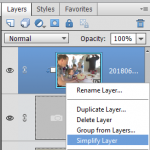
You can save up to 90% of the space your layouts take up on your computer with these simple steps. [Continue reading]
- « Previous Page
- 1
- …
- 8
- 9
- 10
- 11
- 12
- …
- 30
- Next Page »