Get a jump start on organizing in just 5 lessons using the software you already have!
When you have gigabytes of supplies it can seem like a never-ending task to get organized.
- Some people tell you to rename and move files
- Some people tell you about expensive new software or obscure plugins
- Some people tell you to convert your files to new formats
- Some people tell you to give up
 I'm telling you that it doesn't have to be that hard.
You can organize your supplies in minutes not hours, and all you need is Photoshop Elements. There's no converting, no endless tagging and no lost and corrupted files.
Who am I to claim that organizing doesn't have to be boring, time-consuming and fussy?
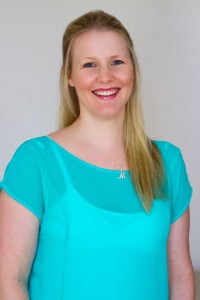
G'day, I'm Melissa Shanhun, founder of Digital Scrapbooking HQ. I’m an Aussie mum an all-round creative person. Over the years I’ve moved to creating with my computer to help me create more projects in less time. Being a teacher at heart, I can’t help but want to share my inside info with you, so you spend less time organizing and fighting with software and more time doing the scrapbooking you love.
Over the past five years, I’ve helped over 500 scrapbookers, learn how they can organize their photos using their computers. With the automated features inside Photoshop Elements Organizer, managing your digital scrapbooking stash doesn't need to be tedious or time-consuming. I am running Get Organized: Supplies again, with all new videos to feature even more timesaving tips.
Why struggle on your own, when I can show you how to get organized?
Don't go it alone - you'll need someone to help you get over the hurdles and hiccups that come along with the technology jungle.
- Do you have piles of digital scrapbooking supplies?
- Do you have a mess of folders on your computer?
- Do you want to get organized quickly?
Join me to SUPERCHARGE your supply organization.
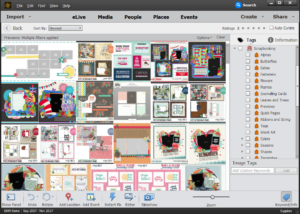 You will learn:
- Simple ways to organize your supplies - saving hours of your time!
- How to import your supplies into Photoshop Elements Organizer
- Time-saving, ready-made keyword tags to download
- Fast searching techniques that will help your complete layouts with the perfect supplies in no time!
The next step...
To make sure you don't have any roadblocks to creating your own beautiful scrapbook pages, click on the button below and join in.
If you have already got a Digital Scrapbooking HQ login - please LOG IN NOW
 What's included in Get Organized: Supplies?
- Video lessons to get you importing, organizing and using your supplies.
- Get Organized: Supplies eBook to keep everything at your fingertips.
- The Organizing Superstars Private Facebook group for your organizing questions.
- Ongoing access to the Get Organized: Supplies class.
Motivating 15-minute Challenges
In each lesson, you'll receive an email with a link to the daily video which will demonstrate what to do to take a step forward in your organizing process. Each challenge is bite-sized and will take you just 15 minutes. You'll also receive an action sheet so that you can track your progress, and make notes to help you through the process. We'll cover:
- Managing the import process - so you don't have to remember what you've imported and what you haven't
- Setting up your Digi home base - so everything is in one place
- Unzipping your files - so you don't find corrupt files and need downloads reset
- Advanced searching techniques so you can find the supplies you need in a snap - forget hunting for that perfect red button
- How to maintain your system in just a few minutes at a time - so things keep running like clockwork
Then, throughout the course, you can comment on the daily post with any further questions you have, and I answer so you can see exactly what you need to do.
The help you need for your specific situation
The 15-minute challenges will give you a head start as you dig deeper into how Photoshop Elements Organizer will continue to support your scrapbooking and photography. I'll be here to cheer you on and answer your questions.
Quick reference to everything in the class
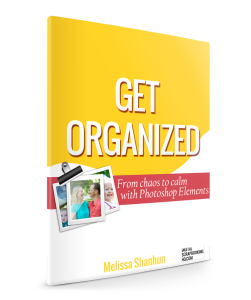 Get Organized Supplies eBook contains all the contents of Get Organized: Supplies! This ebook is full color PDF and formatted for easy reading and printing - along with links to the resources mentioned in the course. It will be a great reference when you are searching for specific techniques learned in Get Organized: Supplies.
If you have already got a Digital Scrapbooking HQ login - please LOG IN NOW
Sound too good to be true? It isn't!
Read what happy customers are saying about my organizing workshops:
Melissa, thank you so much for presenting this Organizing class. I had a very poor understanding of what I could do with PSE Organizer and I was overwhelmed when trying to locate a particular photo among thousands. Your clear-cut directions have made it easy for me to get control of my photos and confident that I can locate the photo I want when I need it. - Jan
Although I have dabbled in Photoshop Elements for several years, it has only been in the past few weeks that I’ve decided to get serious about scrapbooking exclusively with Photoshop Elements. Your short video about organizing everything in the Organizer spurred me on and after 4 days, I now have nearly 20,000 catalogued items. I loved learning about using the metadata embedded in the files... I’ve managed to create general categories for everything so that nearly all of the components are tagged, which is likely why it took me 4 days. - Judy
THANK YOU So MUCH - by watching this tutorial you have saved me so many hours of painstaking tagging and wow it can be done fast. I like you have 36000 items and didn't know where to begin but so glad I watched your video. Looks easy to tag now and not a hated job I left for so long Also have more time to scrap so that's gotta be a great thing ay. FANTASTIC VIDEO !!! - Tracy
Thanks again Melissa . . . you can't begin to know how thrilled I am that this finally worked. I've struggled with so many other options and I so happy this one really paid off. If it weren't way past my bedtime I'd be dancing but it is time for sleep. Thank you a hundred times over . . . you are truly awesome and inspiring !!! - Anna
I know you'll be just as ecstatic when you have your supplies at your fingertips and put your software to work for you.
This class is awesome value - a bootcamp for your supplies for just $37!
If you have already got a Digital Scrapbooking HQ login - please LOG IN NOW
I can't wait to see you on the other side!

Class available online 24/7. No physical products are shipped.
FAQ
What's inside the class?
- 5 high definition video lessons
- PDF Handout with step-by-step instructions and links mentioned in the class
- Access to our Private Facebook group for questions!
Can I watch any time?
Yes 🙂 All the videos recordings and handouts are online and viewable 24/7. You can download the videos and PDF for offline viewing.
How long do I have access to the videos?
You have ongoing access to the videos, downloads and PDFs, available as long as Digital Scrapbooking HQ is around! There's no time limit.
How do I see the videos?
When you purchase the Get Organized: Supplies class you will be taken through the registration process, and you'll receive an email with a link to the page. Problems? Email me help@digiscraphq.com
Can I watch on my iPad? What about my phone?
The class videos will play on your iPad, any smartphone, Mac or PC.
I don't have the latest version of Photoshop Elements. Will this be useful to me?
Yes! If you have PSE 13 or newer, you'll be able to get a lot of value out of this class. Get Organized: Supplies is recorded in PSE2018 & PSE15 and will use some new features, however about 90% of the class will apply to anyone with PSE13 or newer.
What do I receive?
You will have access to the PDF handouts and high-definition recordings to download and watch on your computer at any time. Just follow through the checkout process, set up your login (if you are new here) and you'll see links your purchases on the Welcome page. You will also receive an email follow up to ensure the process went smoothly.
Why should I learn with Melissa?
Melissa is a scrapbooker of 15 years, educator and Photoshop Elements expert. Melissa's been running online workshops for over 6 years and will ensure that you get a lot of learning packed into each class.

What if I'm not sure it's for me?
30-day money back guarantee:
I know you’ll be thrilled with the classes I have for you. Videos, downloads and handouts are available online 24/7. No physical products are shipped.
If you have already got a Digital Scrapbooking HQ login - please LOG IN NOW
I can't wait to see you in class!