On the 7th of September 2011, I took a leap of faith and started Digital Scrapbooking HQ. I had already been teaching digi-scrapping in person and had done 6 months of online workshops, it was time for a real home on the web.
At Digital Scrapbooking HQ, we have digi-scrappers from all over the world that take advantage of our online workshops. I've written almost 1000 articles, answered hundreds of questions via email and on the site and provided access to Photoshop Elements training that will get your photos looking great, pages made and supplies organized. And there's more to come!
Scroll to the bottom of this post for giveaway details.
 Your Birthday Gift
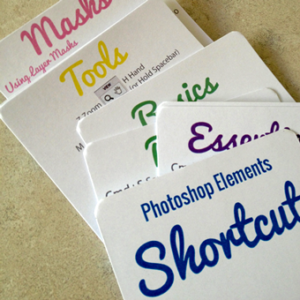
To celebrate this year, I'm giving everyone a fab Photoshop birthday gift... printable shortcut cards.
These cards will be handy to have at your fingertips while you are scrapping to remind you how to use masks, the common tools and more. If they seem familiar, you are right! I have newly updated them to reflect Photoshop Elements 15.
Celebrate & Save
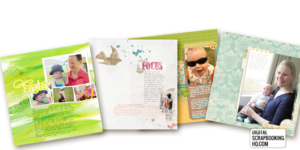
To celebrate this year, I decided to put one of my best-loved classes on sale - Digi Scrap from Scratch for just $27. That's $42 off the full price!! How's that for a birthday gift?
This class will help you create your own designs in Photoshop Elements using some basic tools and design skills. So you'll not only learn how to create a page, but you'll love the look of your finished pages. (Plus it comes with 6 mini-kits!)
Read more about Digi Scrap from Scratch here.
Just add the workshop to your shopping cart and the discount will be applied automatically. Save $42 now!
6th Birthday Giveaway
What's a birthday without some party favors? Here are a few giveaways for YOU my favorite customers. Enter to win one of these great prizes!
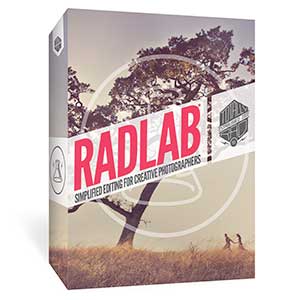
- A copy of RadLab thanks to Totally Rad.
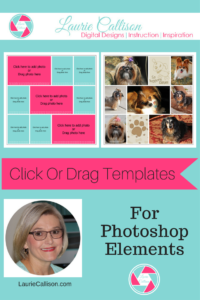
- Laurie Callison's fabulous Click or Drag Template Collection
- A class of your choice from ME!
- A copy of Photoshop Elements thanks to Adobe
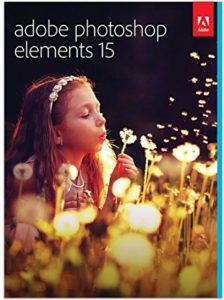
It's simple to enter, just comment below with a link to your favorite DSBHQ tutorial - and you'll be in the running to win one of these amazing prizes!
Go check out my full list of tutorials and find your favorite.
I'll pick a winner midnight US Eastern Time on September 13th, 2017.
More Birthday Fun Coming This Week!
Stay tuned to the blog this week for recaps of our favorites over the last 6 years. Check in on Instagram for some fun Insta Stories as well.
Be sure you are on my email list so that you can be notified if you win one of the prizes!
Not a subscriber? You need to be!
We hope you have fun celebrating with us this week!

I am an Amazon affiliate so may receive a commission if you make a purchase.
This post contains affiliate links. This means that if you click through that link and purchase an item, I may receive a commission for referring the sale.
I only recommend classes and products that I know and trust. Thank you for using my link if you decide to purchase.
Melissa Shanhun is a participant in the Amazon Services LLC Associates Program, an affiliate advertising program designed to provide a means for me to earn fees by linking to Amazon.com and affiliated sites. As an Amazon Associate I earn from qualifying purchases.


My favorite class is Digital Scrapbooking for Absolute Beginners.
I really liked the tutorial “Import your photos or supplies without lifting a finger”.
http://www.digitalscrapbookinghq.com/adding-a-watch-folder-in-elements-organizer/
It was always hard for me to keep up with tagging my new supplies. Thank you.
I have been watching and learning from you for 4 years. The next class for me is organizing my supplies. I focus on getting my photos onto pages, then into photo books. Organizing seems to take a back seat. I would love to upgrade my photoshop elements too.
My favorite has been your ABC’s of PSE. I have them on a Pinterest board so I can easily find them while I’m working on photos and scrapbook pages.
Happy Birthday!… and thank you for all your tips!
My favorite tutorial is Organizing Digi Files.
http://www.digitalscrapbookinghq.com/organizing-the-digi-files/
Type/Text Tutorials
I’ve often wondered how to do this and it’s pretty simple once you see the “trick”. Text in a shape tutorial.
http://www.digitalscrapbookinghq.com/text-in-a-shape-in-photoshop-elements/
Thank you and Happy Birthday!
Congratulations @disqus_MQFI1ebdHL:disqus you WON! Your prize is a class of your choice from Digital Scrapbooking HQ. I’ll contact you via email with the details.
My fav tutorial is Create Spray Mist Using a Brush. It was a good resource for spraypaint brushes!
My favorite and most helpful was the explanation of why my photos aren’t making my computer slow. http://www.digitalscrapbookinghq.com/photos-arent-slowing-computer/
I love anything to do with trying to making organising my supplies more manageable. Your ‘Get Organised Supplies’ class was really useful as are your tutorials (for example, http://www.digitalscrapbookinghq.com/advanced-searches-photoshop-elements-organizer/). I can bribe my 15 year old to tag photos with people’s names but he’s not so good at tagging scrapping supplies 🙂 Happy Birthday!!
Thank you for the shortcut cards! Happy 6th anniversary!! How exciting!
My favorite tutorial is Advanced Searches. I didn’t realize that PSE had a search tool for filenames. http://www.digitalscrapbookinghq.com/advanced-searches-photoshop-elements-organizer/
My favorite tutorial is How to Clean up the Background. I was using the clone stamp and this tutorial has shown me a much easier way. http://www.digitalscrapbookinghq.com/how-to-clean-up-the-background-of-a-photo-in-photoshop-elements/
My favorite Tutorial is “Find Your Family with Photoshop Elements Organizer”. My favorite class is “Get Organized: Photos”. Can you tell what I need help with – smile.
I could make a guess 😀
I will be putting your digital Scrapbooking for Absolute Beginners on my to buy list. So I can finally do something with the photos from the first 2 years of my daughter’s life.
http://www.digitalscrapbookinghq.com/what-can-you-learn-here/
I want to try the photo editing class!
I like this one the most http://www.digitalscrapbookinghq.com/photo-editing-beginners/ and i hope to win photoshop 😉
How did you know my PSE trial is going to be expiring within days!? I’ve tried out digital scrapping and I’m loving it! I’m really new at this but I just watched “Text in a Shape in PSE” and it will be my fave until I get a chance to watch more! 🙂
Oh my goodness!! @disqus_W2i8ziA6FO:disqus you WON Photoshop Elements 15!! Congratulations! I will email you with the prize details soon!
YAHOOO!!!!! This is awesome! I see a lot more digital scrapbooking and a lot less housework and cooking in my future! Happy birthday DSHQ!
I upgraded from PSE 7 to PSE 15 and couldn’t get the keyboard shortcut (CTL+G) for clipping masks to work right.
DigitalScrapbookHQ to the rescue! why they changed the keyboard to CTL+ALT+G I’ll never know but hooray for Melissa and her great tips
YAY! They changed it to match Photoshop CC… but yes, I still find myself reverting to Ctrl+G all the time!
My favourite i s the one on organizing supplies in PSE.
My favorite is Text in a Shape.
http://www.digitalscrapbookinghq.com/text-in-a-shape-in-photoshop-elements/
I think that is such an interesting technique, not something you see done everywhere.
Congratulations @allie! You WON – your prize is RadLab, I’ll be in touch via email with the prize details!
Oh my goodness!!! I am so excited! I have heard of RadLab and have considered it but never actually bought it. THANK YOU!
Also, congrats on 6 years. That is no small feat in the online world.
Mlne is understanding icloud http://www.digitalscrapbookinghq.com/icloud-confusion/
Mine is understanding icloud http://www.digitalscrapbookinghq.com/icloud-confusion/
I liked learning how to insert text on a photo. I am new to digi scrapping and have been both enjoying it, and have been frustrated by it…but I am new at this.
I enjoyed learning how to insert text on my photos. I ahve so much more to learn. I will be checking out your website more. Happy Birthday!
I love Digital Scrapbooking for Absolute Beginners!
My favorite was Creating a Collage and Backing Up Organizer.
My favorite class/video is “My Top 10 Photoshop Elements Tutorials” http://www.digitalscrapbookinghq.com/10-photoshop-elements-tutorials/
It has so much great content, even for a seasoned Photoshop user!
Thanks for the opportunity to win! Happy 6th birthday and here’s to many more!
“Text in a shape” has helped me loads
Congratulations @disqus_tF7DqBEkj1:disqus you WON! Your prize is Laurie Callison’s fabulous templates! I’ll contact you with the details via email.
Whoop whoop. thank you and happy birthday DSHQ
I really enjoy the ABC tutorials as well as the text inside a shape. I have the site bookmarked so I can find help when I need it. Thanks for your wonderful tutorials.
I’m still venturing around and getting to know some of the different things going on. So many amazing things I haven’t been able to pick out a favorite yet! Do I really have to choose just one? I love to scrapbook and I love taking pictures, but can’t seem to find as much time as I’d like to scrapbook on paper (or print all my pictures). But to do so electronically is loads of fun!!!
I need the ones for the Absolute Beginners!!
I love being able to swap faces in photos in order to get everyone looking their best! http://www.digitalscrapbookinghq.com/swap-faces-photo/ Thank you for all of the great tutorials and for the chance to win!
Happy 6th Birthday! I’ve enjoyed all the tutorials realted to Photoshop Elements organizer. I am new to the digital scrapbooking world and learning how to organize my supplies has been very useful.
My favorite class would be Digital Scrapbooking for Absolute Beginners.
I never done digital scrapbooking page only with my photos… I don’t know how to import supplies. I bought some digital supplies and kept them in a file. But don’t know where to start?
I don’t know what is RADLAB and you do with it ?
My Photoshop elements is 11 (eleven)
Hi Carmelle – check out http://digiscraphq.com/radlab1 & http://digiscraphq.com/radlab2 to see what you RadLab is 🙂
I’m new to using templates so, I needed your How to use a Digital Scrapbook Template tutorial. Thank you for all your help. Happy Birthday!
My favorite classes are most any of the Photoshop Elements classes, with emphasis on the beginner classes.
Anything related to text, but especially text in a shape! I haven’t really checked out any of the Organizer ones, but those are next on my list! Thanks!
I liked the tutorial on how to load brushes. I used to struggle with that:)
Hi Melissa
Congratulations on continuing your business for six years and having all your littlies to look after at the same time.
I appreciate your e-mails. One day I hope to purchase PSE so that I can take your classes. They look good. I did purchase one class for beginners (probably six years ago) but did not have PSE. One day!
Thanks
Ailsa
Thank you! Time has flown by!