D ecember Daily anyone? Over the past few years I've completed 3 December albums, with another one almost complete. I love the process of documenting summer fun, the end of the school year and of course Christmas!
Step by Step
Buy.All.The.Things
Ok, not quite...
Kits
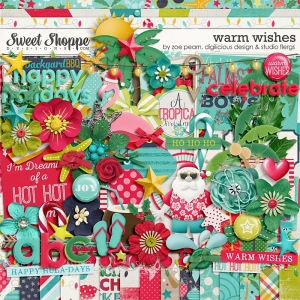 Ah, the fun of shopping. I have to admit I have quite a colleciton of Christmas Kits as I tend to mix and match from two or 3 kits in each December Daily album I create. In the end I settled on a fun Aussie Christmas Kit from Flergs, Digilicious and Zoe Pearn at Sweet Shoppe Designs
Are you dreaming of a HOT Christmas?? Then this is the kit for you! Zoe, Flergs & Christine - SSD's three Aussie chicks who have never had a White Christmas - have teamed up to bring you Warm Wishes... A Christmas Collection with a twist! If you live in the warmer part of the world, you'll love the tropical feel, the bright colours and the fun non-traditional theme!
Templates
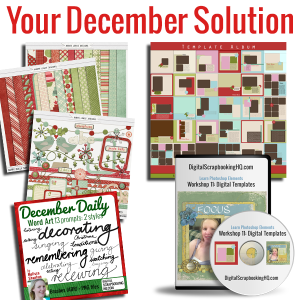 If you love templates, you're in luck. The set I designed and used to complete two December Daily albums is on sale for today as part of the Creative Christmas bundle. You can grab it here.
Unzip
Foundation Pages
To make pages feel easier to create I decided to create my own foundation pages
I created blank 12x12 and 24x12 canvas to begin my pages.
Then I'm just covering up the blank canvas with all the papers in the Warm Wishes kit. That way I can just open my foundation page and quickly add my photos and journalling.
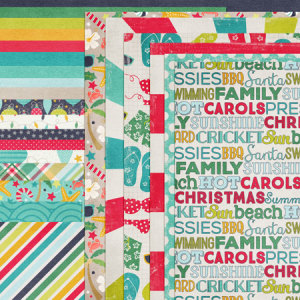
December Daily Foundation Pages
You can use Wendyzine's Kit Stacker Action to do this, or just drag and drop each paper onto a blank canvas.
By customer request, this set of scripts and actions will let you load all your papers and elements into one file and save it as a layered TIF file. Some people like to scrap from one file, and this script will help you do that. Choose from the 12x12 version which loads everything onto a 12x12 canvas, or the Custom version which allows you to choose your page size. Video tutorial included.
Quick access to embellishments
Paper scrappers can have all manner of cute baskets with their Christmassy embellishments on hand, but don't despair, digi gals don't think you can't have a 'basket' of supplies at hand.
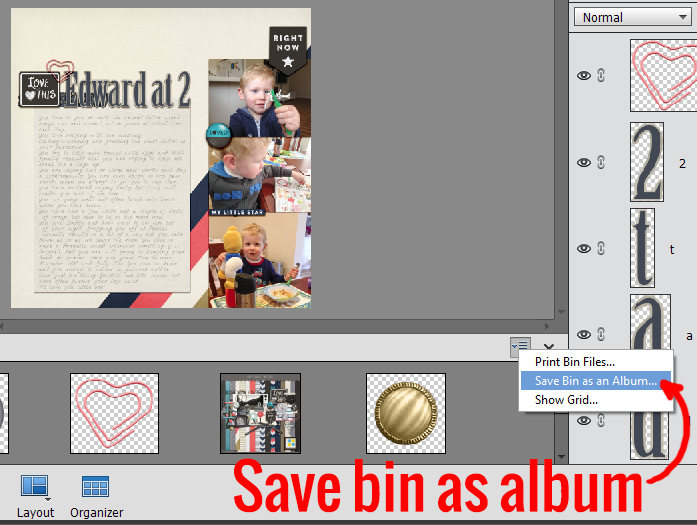
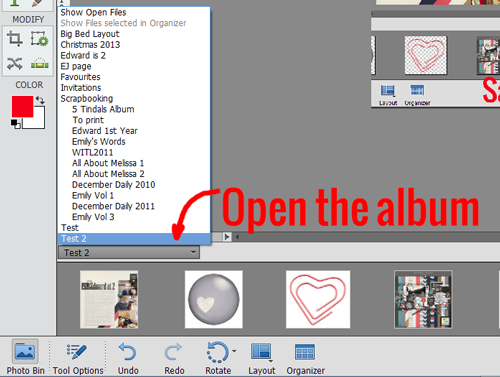
I've added all my embellishments to an albums in Photoshop Elements so it's super easy to pull them in too.
Just create a new album in Photoshop Elements.
- Click the dropdown menu on the right of the Photo bin
- Save Bin as an Album.
- Enter a name
- To work with the same files again just select that album from the drop down menu at the top left of the photo bin
Stop with all the Decisions
Each year I stick with my tradition to use my own handwriting font.
I will also not be doing any more digi shopping - it's easy to lose hours looking at all the new kits coming out in December!
Less decisions = Faster scrapbooking for me.
So, I've even planned in advance what I'll scrap on each day.
The Not So Daily Plan
I've listed out all the things I want to document this month:
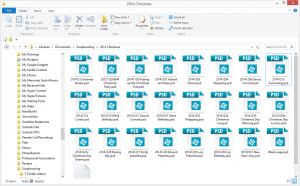
My December Daily 2014 Foundation pages all waiting patiently!
- BHP Christmas Party at the Zoo
- Tree/Decorating
- Dance
- Shopping
- Dress Rehearsal
- Emily's Dance Concert
- Swimming Lessons
- Christmas Carols
- Phill's birthday
- Steve's Birthday
- Emily's Church Production
- Christmas Books
- Wrapping Presents
- Christmas Eve Service
- Christmas Morning
- Christmas Lunch
- Christmas Dinner
- Boxing Day/Dinner
- Emily's Presents
- Edward's Presents
- Edward's Presents
- New Year's Eve
- New Year's Day/Lauren's Birthday
Now some of these events will be documented in the moment, some won't be. I'll be taking notes with the Momento App when I don't have a chance to scrap.
I've made either single or double pages based on how much space I anticipate needing. I don't just use one photo per day/page - so I'm sure I'll have a full album in the end.
 Where to from here?
Throughout the month I'll be scrapping when I'm able to and aiming to finish this album off in the new year. Usually February's Layout a Day challenge sees me working on my December Daily and finishing it off!
I'm going to be counting it a success as whether I just snap a photo, jot a note or scrap a page.
Make it Monday
 This post is part of the Make it Monday blog circle: Head to Alison Day's site as she shares how to create boxes for your hand made cards with an easy downloadable template.
Care to Share?
Are you working on December Daily? Doing another project? Waiting to scrap till January?
I'd love to hear your thoughts
Happy Scrapping!

I am an Amazon affiliate so may receive a commission if you make a purchase.
Learn to Scrapbook today - Click Here


LOVED this post Melissa!!! Thanks for sharing all this goodness!!
I love the look of that warmer climate holiday digi pack. There are so many people who will find it much more appropriate than for those of us who live where it is snowing right now! How smart to start you list of photos you want to take during the month!
Your advice about cutting out the decisions is so smart!
Oh, I love the idea of saving the bin as an album! I’m in PSE 13 and the ‘save bin as an album’ is grayed out. Are there only certain file extensions it will save?(I’m trying to save jpegs) I’ve tried highlighting the files and it is still grayed out. Could you offer any help?
Hi Faith
Have you set up the Organizer? Perhaps it’s only available after you run the Organizer for the first time. I’ve tried pdfs, jpegs, tifs, psds and pngs and they all are fine to put in the albums.
Let me know how you go
🙂 Melissa