A zip file contains one or more files that have been compressed, to reduce file size, or stored as is (more details from Wikipedia). Designers usually compress their files for upload to digital scrapbooking stores and you need to unzip them before you can use them. On a Mac, when you download a zip file,… [Continue reading]
PSD File Type
PSD files are used by Photoshop Elements and Photoshop and is the main format we will be using. Photoshop Document file. PSD files retain layers and can be edited later. Photoshop Document PSD file stores an image with support for most imaging options available in Photoshop. These include layers with masks, color spaces, ICC profiles, CMYK Mode (used… [Continue reading]
Zip File Format
A zip file contains one or more files that have been compressed, to reduce file size, or stored as is (more details from Wikipedia). Designers usually compress their files for upload to digital scrapbooking stores and you need to unzip them before you can use them. On a Mac, when you download a zip file,… [Continue reading]
Commands you Need to Know
There’s lots of power in the menus of Photoshop Elements – here are three essentials that will help you get through your first few layouts: See my favourite things in the Digi Scrap HQ Store at Amazon. I am an Amazon affiliate so may receive a commission if you make a purchase.
The Marquee Tool
Marquee Tool Want to cut out your photo to fit into a frame? Want to cut your paper into a strip? You need the marquee tool! The marquee tool creates a selection. Selections can be used to modify your photographs or digital scrapbooking elements in lots of different ways. One common way you’d use a… [Continue reading]
The Text Tool
Text Tool Want to add journalling to your layout? Need to add a photo caption or date? The text tool is what you need! The text tool in Photoshop Elements is similar to what you see in your Word Processor. This video walks you through the options you can use for your text. Text tool… [Continue reading]
What are layers?
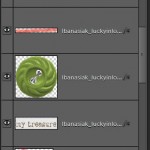
What is a Layer? See my favourite things in the Digi Scrap HQ Store at Amazon. I am an Amazon affiliate so may receive a commission if you make a purchase.
Organize your Digital Scrapbooking Supplies
Do you have piles of digital scrapbooking supplies? Do you have a mess of folders on your computer? Do you want to get organised quickly? Join me to learn how to use Photoshop Elements Organizer to organise your digital scrapbooking supplies. See my favourite things in the Digi Scrap HQ Store at Amazon. I am… [Continue reading]
Digital Scrapbooking Primer: The Zoom Tool
The Photoshop Elements toolbox can be overwhelming- but you’ll be thankful that you don’t need to know how to use all of them to get started digital scrapbooking. I’m going to run you through the only four tools you need to start digital scrapbooking. If you use a template you may even be able to… [Continue reading]
PNG File Format

In digital scrapbooking we use PNG files for items that need to be transparent. For example, if we have an embellishement such as a button, and place it on top of a paper, we can see the paper showing through the button holes. The Portable Network Graphics (PNG) file type is a bitmapped image format that employs lossless data compression (read more… [Continue reading]
- « Previous Page
- 1
- 2
- 3
- 4
- 5
- …
- 7
- Next Page »