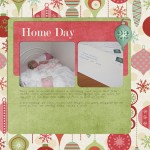
Do you want to learn how to create a digital scrapbook page the easy way? Today I’ll share with you how I created this layout from a digital template. To read more and watch me create a layout from a template in Photoshop Elements head over to this post. See my favourite things in the Digi… [Continue reading]
New One-on-One Online Digital Scrapbooking Lessons

Do you want some one-on-one help with Photoshop Elements? Do you find typing out your question frustrating? Do you want an expert ready to answer all your questions? Why not book a One-on-One Lesson with Me? Now I’ll be able to help you learn in a one-on-one class! I am available for a number of… [Continue reading]
Something Awesome this Way Comes
Are you new to Photoshop Elements? Do you want to scrapbook without software getting in the way? Stay tuned for more information about an awesome video tutorial series coming your way in the new year! Here’s a Sneak Peek! See my favourite things in the Digi Scrap HQ Store at Amazon. I am an Amazon… [Continue reading]
Christmas Sale: 50% off Template Album Set
Welcome to Digital Scrapbooking HQ – I hope you are enjoying the resources at this site. Since Christmas is nearly upon us, I’d like to offer you 50% off of Simple Template Album – until December 25th. Want to get a head start on scrapbooking an album? Do you feel overwhelmed at the thought of… [Continue reading]
How to share your scrapbook pages on Facebook
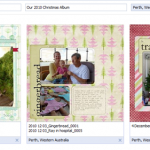
How To Share Your Digital Scrapbook Layouts on Facebook Would you like to share your layouts on Facebook? Today I’ll step you through the process and show you how to share your layouts with the Scrapbookgraphics community on Facebook and credit your layouts easily at the same time! [Read more] Read on for the rest of my Facebook… [Continue reading]
50% off Photoshop Elements 10 today only!
Photoshop Elements 10 is half price! Photoshop Elements 10 is on sale for 50 percent off! So for around $50 you can enjoy text on a path, quick photo fixes, masking and more. Want to learn more about PSE10? Check out my Photoshop Elements 10 Review here. This sale ends 29th of November so jump on… [Continue reading]
How to put multiple photos on a 4×6 canvas for printing
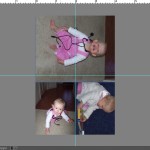
Marilyn wrote in to ask How can I make miniature prints on a 4X6 canvas? So I recorded a quick video to demonstrate. The basic process is: Create a 6×4 inch 300 dpi canvasAdd a guide (View menu, then New Guide…) If you have PSE6 or earlier check out Grant’s Tools add guides.Place your images… [Continue reading]
A Simple Way to Record Your 2012 Memories

In an aim to simplify my life in 2010, I decided to combine my scrapping ideas, monthly round-up, diary and journal into one and so the Memory Logbook got put on my wishlist for Christmas 2009. My husband bought the printable version for me and it sits on my desk. After 18 months later, I’m using… [Continue reading]
December Daily Foundation Pages
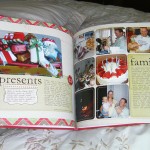
My 2011 December Daily Foundation pages I was so thrilled to complete my 2010 December Daily that I turned the design into foundation pages (digital templates) for 2011. I’ve not yet chosen the kit I’ll use along with the pages, but I have a couple of weeks to get that sorted out! I’m also thinking… [Continue reading]
Making Sense of the Jargon
Digital scrapbooking uses terms from graphic design, paper scrapbooking, and art. Here are explanations of a few key terms: Alpha An alphabet made up of PNG files, one for each letter Layout Refers to the whole scrapbooking page Embellishments/Elements PNG files that looks like a flower, ribbon, button or other decoration for your layout Flatten… [Continue reading]
- « Previous Page
- 1
- …
- 35
- 36
- 37