
Scrapaneers is turning 3 this week and it’s time to celebrate! They are starting the celebration by offering 35% off their self-paced classes. Can I get a woo-hoo?!! I love saving on awesome digital scrapbooking classes! In addition to the sale, Scrapaneers is offering daily challenges with prizes. You’ll want to head over to their… [Continue reading]
How to Save your Digital Scrapbooking Layout in Photoshop Elements
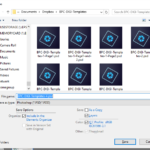
Saving files should be straightforward right? Let’s make it simple for you – here how to save your digital scrapbooking layout in Photoshop Elements. If you’ve ever tried to save your work in Photoshop Elements you may have noticed that Photoshop Elements always goes into ‘Save As’ mode the first time you open file. The first time… [Continue reading]
Fix your Photos – fast

Do you have a photo that you love, but it just needs a little bit of help to look its best? It’s easy to make fast photo fixes in Photoshop Elements.
To prove how quick and easy it is, I hosted a live chat at Big Picture Classes and did some Fast Photo Fixes on the spot! [Continue reading]
Inside my Album: Rugby World Cup

Take a peek inside my scrapbook. See how simple it is to tell your story. [Continue reading]
Save Up to 50% Off at CreativeLIVE

Now through July 24th CreativeLIVE is running their Mid-Year sale! Grab some of the classes on your wish list and save. CreativeLIVE has many classes to offer creative types including digital scrapbooking courses! Here are a few scrapbooking classes I think you would enjoy. Digital Scrapbooking for Beginners Tired of having a closet full of… [Continue reading]
How to Delete a Catalog in Photoshop Elements
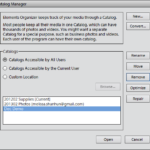
Today’s tutorial comes to you thanks to Dee’s question about how to delete a catalog in Photoshop Elements Organizer. Hi Melissa, Tonight I installed PSE and that went fine. It asked to import my previous version catalog and I said yes, it did it’s thing, then said it worked fine. But my photo catalog was not… [Continue reading]
It’s Prime Time for a New Hard Drive

I’ve got too many photos, you’ve got too many photos. It’s high time that we treat ourselves to an extra hard drive! I recommend using a cloud backup for your photos (like CrashPlan) as well as a local hard drive (I recommend the 4Tb Western Digital or the 4Tb Seagate). That way you can keep all… [Continue reading]
Get my brushes to stay put!

Keep those brushes where you need them in Photoshop Elements [Continue reading]
I have an older version of Photoshop Elements
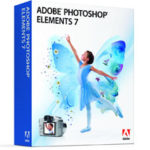
Today I’m answering your questions! Here’s an email I received recently. Hi Melissa, I’ve decided to change my paper scrapbooking albums to digital and I’m glad I’ve found an Australian site. I have PS7. Would you advise me to buy the most recent version before i get started? I’m actually more at a loss as… [Continue reading]
It’s time to get published!
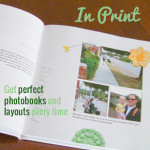
Have you ever wanted to see your name on the cover of a book? As a child I always wanted to be an author. With today’s technology I can! I love printing my own books from my collection of scrapbook pages. This year a goal of mine is to print more of my scrapbook pages off… [Continue reading]
- « Previous Page
- 1
- …
- 77
- 78
- 79
- 80
- 81
- …
- 164
- Next Page »