
Take a peek inside my scrapbook. See how simple it is to tell your story. [Continue reading]
Add Memorabilia to your digital scrapbook pages

Do you struggle to add memorabilia to your scrapbook pages? As a digital scrapbooker, sometimes I’m not sure how to add all that life stuff to my pages. Sometimes I pop it one or two things into my photobooks, or bind it along with printed pages in a home made album, but what about getting… [Continue reading]
Our Favorite Things

It’s that time of year again…PRIME DAY! This two-day shopping extravaganza has us singing about our favourite things like Julie Andrews on a rainy day. So Monica and I thought we’d take the time to share a few of our favourite things with you! [Continue reading]
Where to Buy Photoshop Elements
If you are in the market for the latest and greatest features to help you organize and edit your photos… Photoshop Elements is the way to go. I recommend Elements because I had so many features that cover 90% of Photoshop CC’s features, plus it comes with helpful guided edits to walk you through the… [Continue reading]
Inside my Album: Healed
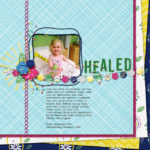
Take a peek inside my scrapbook. See how simple it is to tell your story. [Continue reading]
How to Print Multiple Photos on A4 Paper
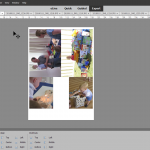
For our US paper users, here’s the tutorial for letter sized paper. If you want to make the most of your photos you may find yourself trying to resize, use ruler or guides to fit your photos on your pages. Today, I’m going to show you how you can get perfectly sized photos every time… [Continue reading]
5 Ways to Use Layer Masks in Digital Scrapbooking
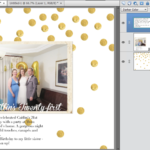
In the past few months I’ve been sharing some of my favorite mask tips and techniques: Mask Modifier MagicMask it and Move it for Perfectly Cropped Photos Today, I’m going to share with you some of the ways I put these masks into action on my scrapbook layouts. 1 Extract images For this page I used the… [Continue reading]
4 reasons you need to get Organizer working for you!
By now you may have the idea that I think everyone should be using Photoshop Elements Organizer. You’re not wrong! 😂 Here’s my top reasons to use Organizer: It works with Mac or PCYou don’t need to change how you store your photos to use itYou will find your photos much more easily!It will save… [Continue reading]
Celebrating 2000 Likes with a Giveaway!

We have reached an exciting milestone on Facebook for Digital Scrapbooking HQ! https://www.facebook.com/DigitalScrapbookingHQ/photos/a.216955621705649/2370363793031477/?type=3&xts__%5B0%5D=68.ARBz_p4WwRrt0edLWCXfTm3Yzuu3YGsx77_8LWJpKwr03aK0dENQa_DOpxW7bgVESUAmxwvujdZGgCrU22hz9pResUGUAYgxoUuM3GOm0imuU8woYnPpK82jbVAinnjcon0Evb5-g2xA4C1u0LQj4nuBUTGWB14c9ZONv_99gYK9RVCS4-VtpezOzvvHF28ErqlUBkUioB9d1mkaalC8OA9sJTRxpR6oYZOIpdbyTzvgIhRlnvNt47NfCVanu6WjMErXwcTtbKp98iMTbxHHZaKoqLdTWwAvmH9o5C4lg-eWHY3xeQWb6TVXu4YubgNBkyS4iV9-yjmQTpfqjVXyOSfTwg&__tn=-R If you’d like help with your photos, click on the post above, and leave a comment on Facebook and you’ll be entered to win! The winner is Phyllis C! Congratulations!
Dealing with Duplicate Photos – The Great Photo Organization of 2019 📸

All month long, I’ll be sharing tips and videos about how you can get your photos under control – today marks the first video in the series! Duplicate Photos One of the most common roadblocks to getting organized is the fact that we all have so many duplicate photos. We keep some on our phones,… [Continue reading]
- « Previous Page
- 1
- …
- 34
- 35
- 36
- 37
- 38
- …
- 164
- Next Page »