In digital scrapbooking we use PNG files for items that need to be transparent. For example, if we have an embellishement such as a button, and place it on top of a paper, we can see the paper showing through the button holes. The Portable Network Graphics (PNG) file type is a bitmapped image format that employs lossless data compression (read more… [Continue reading]
The Move Tool
Want to move your photos, embellishments and papers around on your scrapbook page? Get moving with the move tool! The Move tool on the upper left of the toolbox is the default tool when you begin using Photoshop Elements. If you find it’s not selected click on the arrow icon or press V on the… [Continue reading]
What I’ve been making lately
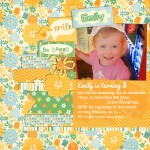
I’ve been busy creating a lot of content for our new Digital Scrapbooking Primer (DIGITAL SCRAPBOOKING PRIMER IS NO LONGER AVAILABLE. CHECK OUT DIGITAL SCRAPBOOKING FOR ABSOLUTE BEGINNERS) and the website, but I’ve still had a chance to do a bit of scrapbooking too. Here’s what I’ve been up to. Baby Announcements Invitations With a… [Continue reading]
How the Digital Scrapbooking Primer Works
Getting the Resources Please confirm the email that says “Confirm this email for access to the Digital Scrapbooking Primer” Every few days I’ll send you links to a new lesson or workshop via email. You read the text and watch the video. You complete the task. You upload your completed project to our Digital Scrapbooking… [Continue reading]
Perth Scrapbooking July: Scrapbooking with Templates Workshop

During this workshop you’ll be introduced to digital scrapbooking with Photoshop Elements and we’ll create a gorgeous layout in just 1 hour, even if you are just a beginner. Did you know you can bring a friend for free? Bring a friend along and you both get a CD + workshop for $40 total. After… [Continue reading]
Lesson 2: Templates
Today I’ll teach you the easiest way to start creating customised pages. With templates! Lesson 2: Templates First read my introduction to templates and watch the video as I create a page from a template. How to use a Digital Scrapbooking Template Task 2: Create a page from a Template Then open up Photoshop Elements… [Continue reading]
Lesson 2: Task
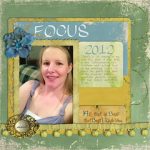
Did you know what in about 1 hour’s time you will have finished a beautiful page like this? It’s true! Just come with me and we’ll get started now…
Lesson 1: Get Started with Photoshop Elements

Welcome to the Digital Scrapbooking Primer. I am so glad you are joining me on this journey! The lesson contains what you need to get started with Photoshop Elements. Remember all these links are at your right if you need them. Lesson 1 Welcome Survey Let’s get acquainted Today we have a lot to cover,… [Continue reading]
Scrapbooking when you are busy
3 Ways to Scrapbook When you are Busy Listen in to hear my thoughts on scrapbooking and how I fit it in with a 6 week old and toddler!
How to install Photoshop Elements
Installing Photoshop Elements is fairly straight forward, just pop in the DVD and install it as you would any other program. Don’t forget to also install the content CD. These are used with collages and other items in the Create tab. Installing a downloaded version? Look for the Setup application. Double click it and follow… [Continue reading]
- « Previous Page
- 1
- …
- 145
- 146
- 147
- 148
- 149
- …
- 164
- Next Page »