Join Melissa Shanhun and Jennifer Wilson from Simple Scrapper to hear about doing things backwards, creating a book and scrapbooking in all its forms. Jennifer runs Simple Scrapper where she provides stress-free solutions for memory keeping and I’m very excited to have her here today to talk about her new book and a little bit about how… [Continue reading]
Scrapping with the Digi Files
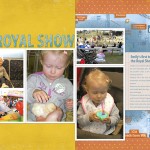
I just wanted to share a little project that I have coming up over at Simple Scrapper. I combined some memorabilia with Simple Scrapper Premium Members Template March and I used a kit from the Digi Game #43 Country Fair by Dani Mogstad. You can find about using memorabilia in scrapbook pages with my using memorabilia in scrapbook… [Continue reading]
Lesson 3: Techniques
Digital has never been so messy! Follow along to learn how to create misting, stamping and cut out effects. This is one of my favourite lessons – I hope you enjoy it too. Lesson 3: Techniques Cut your Paper Cut with the Cookie Cutter Tool Paint on Your Page How to add brushes to Photoshop… [Continue reading]
The Primer is Here: Save $50 today
THIS COURSE IS NO LONGER AVAILABLE. CHECK OUT Get Started Digital Scrapbooking. Many of you have emailed me wanting to know how to get started scrapbooking. I know many of you have made a few layouts, but it just isn’t as easy for you as you’d hoped. I’ve spent 5 years honing my digital scrapbooking… [Continue reading]
Digi Scrap from Scratch Workshop
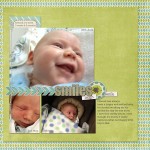
Do you want to create a page without a template? Are you nervous about how to begin? Are you ready to take your scrapbooking to the next level? I’ve been working on a super-secret class for the last few months… a class that will help you learn Photoshop Elements from the very basics a class… [Continue reading]
Top Ten Text Tips Workshop
Top 10 Text Tips Watch as I show to the top techniques to give your titles and journalling a boost using Photoshop Elements You will come away with: An understanding of how the type tool works in Photoshop Elements 10 ways to add style and creativity to text on your page High definition video recording… [Continue reading]
Giveaway: Get Organized the Easy Way
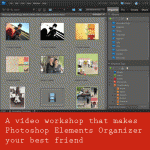
I’m sponsoring a giveaway over at Simple Scrapper where you can win my most popular workshop you have until Sunday July 15 to enter – so run and comment! Managing Supplies with Photoshop Elements Organizer + Giveaway Do you want to get organized quickly? For many people organizing scrapbooking files and digital supplies on their… [Continue reading]
Organize Your Supplies: 75% off Coupon at DigiGrab
Overwhelmed by Piles of Digital Scrapbooking Kits? Do you have piles of digital scrapbooking supplies? Do you have a mess of folders on your computer? Do you want to get organised quickly? You will love my limited time offer over at DigiGrab – the home of digital scrapbooking daily deals.
Top 10 Keyboard Shortcuts
Recently I got asked to share my favourite keyboard shortcuts in Photoshop Elements. Here’s my top 10! Ctrl+N Create a new file Ctrl+S Save your work all the time! Ctrl+G Create clipping mask, clips your paper to a shape Ctrl and + Zoom In (or + on the Numeric Keypad) Ctrl and – Zoom Out (or – on the… [Continue reading]
Stamp using the Brush Tool

Stamp using the Brush Tool Install your brush as above. I used the The Daily Digi’s 10 Reason’s Brushes Select your brush Resize using the [ or ] keys to make them smaller or larger Click once to stamp the brush Adjust the opacity or blend mode of your layer until you are happy with the… [Continue reading]
- « Previous Page
- 1
- …
- 142
- 143
- 144
- 145
- 146
- …
- 164
- Next Page »