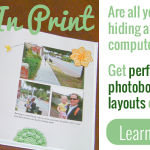
Shutterfly has just released a new photobook style for Digital Scrapbookers – see it in action here: This style has full bleed photo spots for the cover spine, title page, and inside pages. So all you need to do is upload your layouts and drag them on. Here’s where to access the new Digiscrap Photo… [Continue reading]
Documenting December Daily with Cheryl McCain
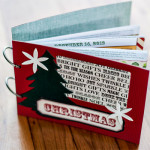
Cheryl has completed her December Daily Album using prompts from her December Daily for Empty Nesters downloadable PDF and is sharing her experience with us today. Listen in and hear how her album progressed. You can have a look at even more of Cheryl’s completed album in her post My December Album as well as… [Continue reading]
Share your layouts – offline
Every time our daughter Emily gets “her” scrapbooks off the shelf, I get a little shiver of joy. I know she loves looking through the books and noticing the people and things she knows well – Oh and the dogs! Every layout with a dog on it, she adores! I wouldn’t have known how much she loves the scrapbooks… [Continue reading]
Celebrate National Handwriting Day with a Free Font! TODAY ONLY
I just wanted to send you a quick reminder – today’s the day to upload your template and claim your free font with coupon code CPN4MOM2013. In celebration of National Handwriting Day on January 23, YourFonts.com has given me a coupon that allows you to make as many fonts as you like for FREE! Use coupon CPN4MOM2013 when you… [Continue reading]
Save 60% on Top 10 Text Tips at Digi Grab

Learn some trendy text effects to boost your titles and journaling! This workshop covers one of your most requested topics, text techniques for digital scrapbooking. Watch as I show you the top techniques to give your titles and journaling a boost using Photoshop Elements. Until January 25th you can save $32 on You will come… [Continue reading]
Inspire yourself
Take a look through your scrapbook album today, as see how you can be inspired by your own pages. Listen in for tips that will help and encourage you to get scrapping again and complete some of those layouts that you’ve been meaning to do. For even more inspiration, be sure to subscribe to the… [Continue reading]
How to create a custom calendar topper with Shutterfly and Photoshop Elements
Are you working on a last minute calendar? You can save 20% on calendars right now at Shutterfly Enter code: CAL20 Watch as I show you how to convert a 12×12 digital page so that it will fit your calendar topper perfectly! Let me know if you’d like a tutorial on a specific Shutterfly feature… [Continue reading]
Do you want to know the secret to adding a personal touch to my digital scrapbook pages?
I use my own handwriting! But, how do you get handwriting on a digital layout? I used YourFonts.com to generate a font, and I’ve been using this for nearly four years on most of my layouts! It saves me so much time in selecting a font and I always get asked by people if I… [Continue reading]
How to customise a papercraft template in Photoshop Elements
Would you like to add text, digital papers and embellishments to your hybrid crafting template? If you have a 3d papercraft template (such as those by Kelleigh Ratzlaff, Mari Koegelenberg, etc) you can open up the PSD files provided in Photoshop Elements. Watch as I walk you through customising a hybrid template from Kelleigh Ratzlaff. If… [Continue reading]
How to import keyword tags from your photos
Are you coming from another organizing system? Would you like to preserve your keyword tags? When you import files into Photoshop Elements Organizer it will see the keyword tags from any other system that write to the Metadata of your Photos (eg Picasa, Windows Live Photo Gallery, Lightroom) you then get an option to import… [Continue reading]
- « Previous Page
- 1
- …
- 134
- 135
- 136
- 137
- 138
- …
- 164
- Next Page »