To celebrate {inter}National Scrapbooking Day you can Buy One Get One Free. Just purchase my brand new photo retouching class – Mother’s Little Helper for 40% off and you’ll also receive a coupon for $30 to spend on your choice of workshop. That’s $60 value for just $17 What is Mother’s Little Helper? We all have those photos,… [Continue reading]
Import Keyword Tags From Photo Metadata
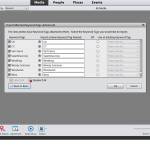
If you have lots of photos from tagging photos in Picasa, Windows Photos Gallery, Lightroom or Aperture or even older versions of Photoshop Elements you’ll be thrilled to know you won’t have to re-tag things even if you start a new catalogue from scratch in Photoshop Elements versions 6 and up. Simply drag a folder (or folders)… [Continue reading]
5 Tips for More Practical Digital Scrapbooking
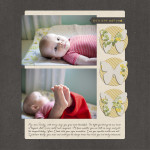
I’d like to welcome Jennifer Wilson from Simple Scrapper today. I value the work Jennifer is doing at Simple Scrapper to help women recapture the joy of memory keeping through practical steps to make scrapbooking fit their lives. Whether you’re new to digital or an experienced scrapbooker, incorporating more practical approaches can up the satisfaction level as… [Continue reading]
Look inside my Scrapbook: Ballerina
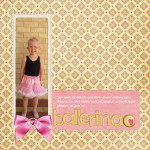
Would you like to take a peek inside my family scrapbook? The Story Emily’s been dancing for about a year or so with Southern Cross Academy of Performing Arts here in Perth. I had this recent photo of her all ready for dance, so I thought it was time to document her love and how she… [Continue reading]
Made for Mom
Welcome to our MADE FOR MOM Creative Gift Ideas event. Join the journey to find some great ideas for gifts to give the Moms or Mums on your list or create a list to give your loved ones of the things you would enjoy for yourself. Oh, and don’t forget, there are some freebies to… [Continue reading]
Get Inspired to Scrapbook More

What’s my big secret to scrapbooking over 100 pages each year? Scrapbooking more! Tune in to hear how and why I challenge myself to scrapbook more often. Monthly, daily-layout projects seem to be the sweet spot for me. I’ve completed about 250 layouts this way since 2009 when I took my first attempt at December… [Continue reading]
Copying Text into Photoshop Elements with the Type Tool
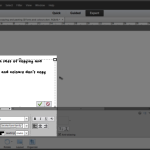
Don’t you love the convenience of having your spelling and grammar corrected before you print your digital scrapbooking layouts? While Photoshop Elements doesn’t have a spell check feature (Photoshop CS does), you can harness the power of Microsoft Word or another word processor to help you save the slip ups. But before you get all… [Continue reading]
How to Shop for Digital Scrapbooking Supplies
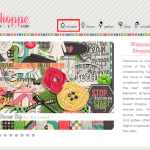
Here’s an inside look at the process for purchasing digital scrapbooking supplies. In this example, I am demonstrating with the Sweet Shoppe, but I also shop with: The LilyPad Forever When you arrive at the site, you’ll usually need to look for a link or icon that says shop. You may need to look hard!… [Continue reading]
Tension, Story, Focus and Flow with Debbie Hodge

Debbie Hodge joins me to chat about her journey from paper to digi, how she put together a class that takes you beyond the rule of thirds and helps you tap into what the experts do to create pages that look stunning and tell the stories of your life. One thing I like about Debbie,… [Continue reading]
How to change the shape of the Brush Icon in Photoshop Elements
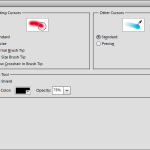
One of my subscribers, Amit wrote with a question last week: I have lost the shape of my brush Icon. When I move my mouse over the screen, there is a target and not a round or square shape, what am I doing wrong? How can I get the shape back? Great question! To handle… [Continue reading]
- « Previous Page
- 1
- …
- 131
- 132
- 133
- 134
- 135
- …
- 164
- Next Page »