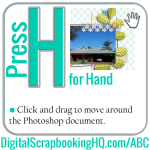
Did you know PSE has some different tools to full Photoshop and different keyboard shortcuts? Stop the confusion with the ABCs of PSE! Press H is for the hand tool. Click and drag to move around the Photoshop document. TIP: Want to see all your page at once? Use the hand tool’s quick shortcut buttons.… [Continue reading]
ABCs of PSE: G is for Gradient
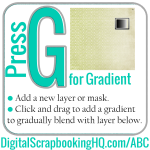
Did you know PSE has some different tools to full Photoshop and different keyboard shortcuts? Stop the confusion with the ABCs of PSE! G is for Gradient. Step 1: Add a new layer or mask. Step 2: Click and drag to add a gradient to gradually blend with layer below. Watch how to use the… [Continue reading]
ABCs of PSE: F is for Smart Brush
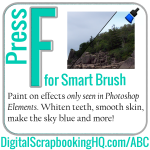
Did you know PSE has some different tools to full Photoshop and different keyboard shortcuts? Stop the confusion with the ABCs of PSE! F is for Smart Brush: Smooth skin, whiten teeth and make the sky blue. These cool tools are only available in Photoshop Elements. Sorry Photoshop users! VIDEO: See smart brushes in action:… [Continue reading]
ABCs of PSE: E is for Eraser
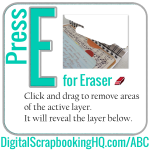
Did you know PSE has some different tools to full Photoshop and different keyboard shortcuts? Stop the confusion with the ABCs of PSE! E is for Eraser. Click and drag the eraser to remove pixels from your currently selected layer. The Eraser works a little like a brush, reduce the opacity of the Eraser or… [Continue reading]
ABCs of PSE: D is for Default Colours
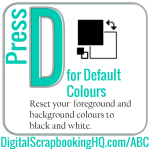
Did you know PSE has some different tools to full Photoshop and different keyboard shortcuts? Stop the confusion with the ABCs of PSE! Press the D to reset your foreground and background colours to black and white. Use D when masking or stamping to get pure black or white. BONUS TIP: Black conceals, white reveals.… [Continue reading]
ABCs of PSE: C is for Crop
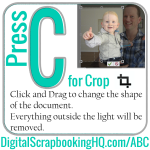
Did you know PSE has some different tools to full Photoshop and different keyboard shortcuts? Stop the confusion with the ABCs of PSE! C is for crop. Click and Drag to change the shape of the document. Everything outside the light will be removed. HOW TO CROP: Click and drag to crop your image. All the… [Continue reading]
ABCs of PSE: B is for Brush
Did you know PSE has some different tools to full Photoshop and different keyboard shortcuts? Stop the confusion with the ABCs of PSE! B is for Brush. Stamp, paint, distress, play! My favorite brush is the Watercolor Loaded Wet Flat tip. (You don’t even need to download it it comes pre-installed). Speaking of installing brushes: Here’s… [Continue reading]
ABCs of PSE: A is for Quick Select
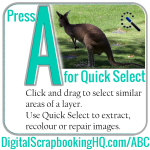
Type A for Quick Select in PSE. Find out how to use it today! [Continue reading]
ABCs of PSE Coming Your Way
Learn about the keyboard shortcuts in Photoshop Elements with the ABCs of PSE. Starts January 1. [Continue reading]
Get it Scrapped: The best deal ever on scrapbook coaching ends December 31
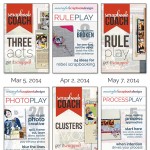
Do you need help with more than just Photoshop Elements? Debbie Hodge is my favourite scrapbook design teacher and until the end of the month, she’s giving us a great deal to get in on the new Get it Scrapped membership. Get it Scrapped membership give you access to an extensive library of scrapbook design… [Continue reading]
- « Previous Page
- 1
- …
- 120
- 121
- 122
- 123
- 124
- …
- 164
- Next Page »