
Have you ever wondered what it feels like to unbox a professional-grade printer? For tech enthusiasts like us, it’s like to Christmas morning—a blend of excitement and curiosity. In 2023, as part of the Plus Eight Pre-Accelerator program, I secured second prize, and with prize money I received from LotteryWest IdeaStarter, I decided to invest… [Continue reading]
How to Delete Photos and Albums in Forever

Ever find yourself swamped with photos and albums you no longer need? Let me tell you, I was there just last week. I’m here to share a super useful tip on managing your FOREVER library. I was looking through an old album from years ago, and realised I didn’t need it anymore. It was time… [Continue reading]
New and Improved Photoshop Elements Shortcut Cards
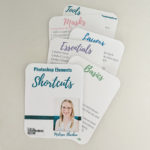
It’s time for new things here at Digital Scrapbooking HQ, after launching a brand new edition of Photo Editing for Absolute Beginners, it’s now time for a new set of Photoshop Elements Shortcut Cards. Over 10 years ago, I first released the first edition of the Shortcut Cards to help you make quick work of… [Continue reading]
Saying Farewell to Digital Project Life: A Chapter Closes
Digital Project Life, the beloved companion of memory keepers and scrapbook enthusiasts, has gracefully stepped off the digital stage. It’s time to bid adieu to this virtual scrapbooking wonderland. Although Digital Project Life closed their virtual doors back in February 2024, it’s only just come to my attention that it’s closed. But I couldn’t resist… [Continue reading]
Navigating the Quick, Guided and Advanced Workspaces in Photoshop Elements 2024

Diving into Adobe Photoshop Elements 2024, there’s so much to unpack. If you’re like me and love playing around with photos, you’re going to want to stick around. When you first open Photoshop Elements 2024, you’re greeted by a welcome screen. You’ve got three options: the Organizer, the Photo Editor, and the Video Editor. Already,… [Continue reading]
Save Time Organizing with Forever Valet

So, I just discovered this super cool software called Forever Valet, and I had to share it with you. If you’re into digital scrapbooking or just have tons of photos and videos to organize, this might just change your life! Forever Valet is a nifty tool from Forever.com. It helps you upload all your photos… [Continue reading]
Vote for Me!

I need your help to make my dream a reality! I’m participating in the Enterprising Women Kickstarter Challenge, and your vote can make all the difference. Vote for me here: Enterprising Women Kickstarter What if I told you there’s a simple way to boost your child’s self-esteem? It’s true. In 1975, a scientific study showed that children… [Continue reading]
It’s Time to Scan Those Old Albums
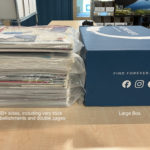
Do you have paper 12×12 layouts that you want to digitize? They are just too big for a home scanner, so you need to call in the professionals! Luckily for you, during August you can have your your layouts digitzed by the professional team at Forever for only $1 per side. If you order in… [Continue reading]
How to Print Multiple Photos on A4 Paper
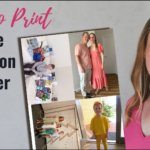
Have you ever been frustrated with printing your photos at home? It seems like it always wastes so much paper, right? Well, I’ve got a solution for you. In my latest video, I show you how to print multiple photos on one piece of A4 photo paper using Adobe Photoshop Elements 2024. Want to see… [Continue reading]
How to Print Multiple Photos on One Sheet of Photo Paper
Printing photos at home can be such a hassle, right? Endless paper waste and it’s never quite right. But don’t worry, I’ve got you covered. Today, I’m sharing how to print multiple photos on one sheet of US letter paper using Photoshop Elements. It’s super easy once you know the steps. My 2019 tutorial showing… [Continue reading]
- « Previous Page
- 1
- 2
- 3
- 4
- 5
- 6
- …
- 154
- Next Page »