Are you constantly frustrated by lackluster photos of your creations?
Would you love your photos to reflect the true beauty of your handiwork?
Would you like to share your photos online quickly with clear details?
Want to make your craft projects Pinterest-worthy?
Jen and I are here to help.
Best Photo Forward: Refining Photos of Fine Embroidery
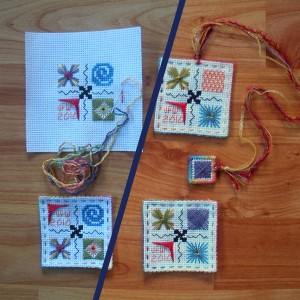
Get your photos looking bright and lifelike.Even if you took them indoors on a cloudy day!
Join Melissa, Jen Weber (from Funk and Weber), needleworkers and crafters from around the world to discover:
- How to stretch and square your handiwork to get it looking perfect
- How to retain the original vibrant colours in your images
- How to create a custom frame for your photograph
- How to make your photos easy and quick to share online
A note from Jen
Crafts never look as good in images as they do in person, and even if we sell in person at craft fairs and trade shows, we will likely want to reach a wider audience online to draw more traffic to our venues. Any way you slice it, we need the best possible images of our work.
If you or your best friend is a professional studio photographer, then you are in luck. If you can afford to hire a professional studio photographer, then you are in luck, too. If you’re eagerly waiting for Plan C right now, join the club! (Remember, Mike is a nature and wildlife photographer, not a studio photographer.) We will point and click and hope for the best.
And then we’re going to work magic with our computers.What? You don’t know computer magic? Well, guess what. My friend, Melissa, does, and she has agreed to teach us her tricks. Woo-hoo!
Meet digital scrapbooking pro, Melissa Shanhun.
Melissa Shanhun is a leading digital scrapbooker from Australia. She teaches hands-on workshops in Perth. So who wants to go to Australia with me to learn digital image magic?! Just kidding. Sort of.
Melissa also offers webinars; that is, live, real-time seminars on the Wide Wonderful Web. And, afterward, recordings of those webinars for us slow learners who need to see things a few times to really get a handle on them. (Cut us some slack; our brains are just jam-packed with cool knowledge. Do you know that Alaska is the only US state name that is typed with letters from a single row on a standard keyboard? See what I mean? Jam-packed, my brain is.)
Here’s the scoop: I’ve persuaded Melissa to teach us how to adjust our embroidery images with Photoshop Elements to make them better reflect the true awesomeness of the real things.
It's like a new image altogether. Come learn how to make your photos look more like the real embroidery.
I have struggled with digital images of Funk & Weber patterns for twelve years. Mike and I have taken hundreds of pictures. Ideally, we wait for good weather, take them outside, and pretend they are moose and caribou. Those tend to be the best photos, but even then, they aren’t perfect: Sometimes the piece looks curved or out of square; way too often, the colors aren’t quite right; and then there’s the problem of reducing a large piece to a thumbnail image that actually looks a little like the real thing. These things still drive me nuts! Arghhhh! But Melissa’s going to help me—and you—learn how to fix these problems like pros. Join us for the webinar: Best Photo Forward: Refining Photos of Fine Embroidery with Photoshop Elements. If you can’t attend live, that’s okay. You’ll have access to the recording, handouts, files, and bonuses, so you can learn at your own pace at your own convenience.

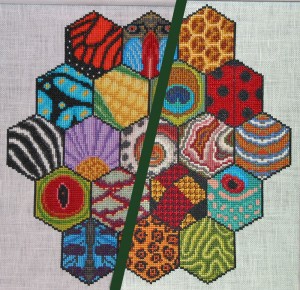
Details
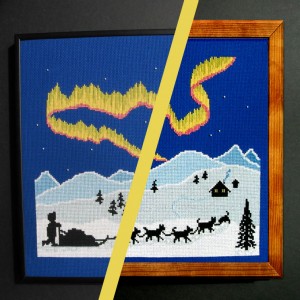
Check out the difference! The image is squared. Colors are brightened. It's got a whole new frame. Wow!
Join Melissa Shanhun Photoshop Elements expert from Digital Scrapbooking HQ, Jen Weber, master needleworker from Funk and Weber Designs along with needleworkers and crafters from around the world to discover:
- How to stretch and square crooked or warped photos to get your handiwork looking perfect
- How to retain the original vibrant colours in your images
- How to create a custom frame for your photograph
- How to make your photos easy and quick to share online
This workshop was run live in a private online meeting room where you can watch Melissa's screen live and hear her explanation you step by step how to fix common problems with your photographs.
Duration: 1 hour
Cost: $40
Buy now
What's included
Recording of the workshop including:
- What Photoshop Elements is and why we should use it
- How to convey more accurate colors
- How to stretch and square warped or crooked images
- How to resize images for the Web
- How to frame a piece digitally
Melissa will demonstrate these techniques using Photoshop Elements and we have set aside time for your questions.
If you register today you'll receive:
- Ongoing access to the workshop recordings Access to the live workshop
- Sample files so that you can see follow along with the demonstrations
- BONUS Photo Fixes for Real People - a jump start on using Photoshop Elements to improve your photos (Valued at $20)
- BONUS Top 10 Ways to Use Embroidery Images
Buy now for only $40
About the Presenters
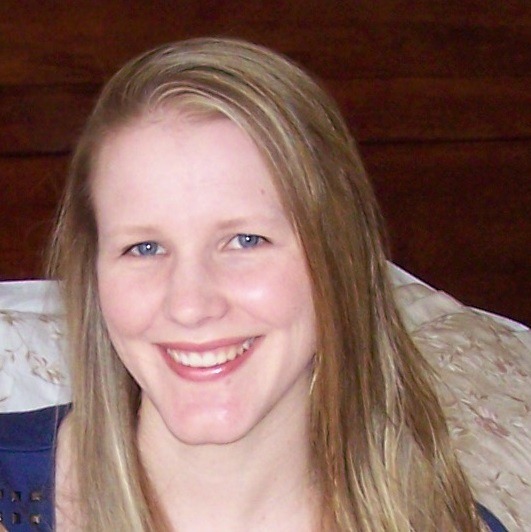
I’m Melissa and I’ve been using my computer to create beautiful things for about 15 years now.
I spent 10 years working in graphic design using a variety of software systems including Photoshop and Photoshop Elements. I’ve also taught a University unit on presentation systems and graphic design.
I’ve been focusing my skills on Photoshop Elements since October 2007. My work has been featured at Log your Memory, The Daily Digi, Scrapbookgraphics, and the Daily Scrapper. I’m currently on the team for Wendyzine Scraps and Log your Memory.
I am also a embroiderer and crafter so I know how frustrating it is to get your photos looking perfect!
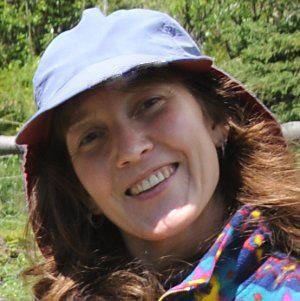
I'm Jen, and I've been stitching since I was about five years old. I began designing my own patterns while caretaking for remote Alaska lodges with my husband, Mike. He would read aloud while I stitched.
Soon, Mike began designing, too, and we were persuaded to publish our cross stitch patterns. In 2000, we launched Funk & Weber Designs. Our patterns, so far, focus on nature and wildlife, puzzles and illusions, bookmarks and jewelry.
We run an outreach program called Needle and ThREAD: Stitching for Literacy, encouraging kids to read and introducing them to embroidery.
We know you want to show your creative work in it's best light, so register for our workshop today.
Buy now for only $40!
I am an Amazon affiliate so may receive a commission if you make a purchase.


I would love to learn how to photograph my needlework and also my collages…they are quite uninspiring in the photos I’ve taken. It’s hard to impress with my photos!