Your every wish is Photoshop's Command
Do you know how to clip, mask and blend?
No, it's not a new dance move, these commands are the basics of creating creative pages in Photoshop.
The terms are often confused and misused, and a couple of them are often used in a context that's unclear.
- Did you know that it took me hours of trial and error before I could remember how to cut out my photo to fit a shape in my layout?
- How are you supposed to blend a photo into a background paper if the blend modes don't actually blend?
- What does a mask do? Why doesn't the eraser work to rub out my mask?
- Would you like to have more artistic layouts with photos fitting perfectly into their place, or blended into the background?
- How about creating a custom background with a photo?
This workshop will introduce you to the concepts of clipping masks, layer masks blend modes and more.
But don't stress, I will be staying true to my plain English promise and I'll break it down for you step by step, and the cheat sheet will be your quick reference guide
Join me in as I demystify these terms, and how you can best use them to achieve the look you want.
I'll show you how to:
- Clip a photo/paper to a shape - to make templates a breeze
- Mask out parts of your image - to hide a messy background, or blend a photo and paper together
- Use blend modes - achieve an artistic effect with your photos
This workshop includes:
- Plain English introductions to masking and blending photos and papers
- Creative techniques using Photoshop Elements tools
- High Definition recording of the workshop
- All the links and handouts mentioned in the workshop
Want a Sneek Peek?
This is just one segment of the workshop
Just $30 today
Need a little more convincing? I've got a bonus for you
Get started today with misting, stamping and more!
Do you want to learn fun techniques to use them on a digital page?
Join me for a fun and (digitally) messy hour-long workshop! During this class you’ll have a chance to see digital techniques in action.
- Using paint on your pages
- Painting within selections
- Inking the edges of your paper
- Cutting your paper
- Creating a mist (various techniques)
- Creating your own custom brushes
- Stamping with the brush tool
When you purchase Clip, Mask and Blend, you'll also receive Digital Scrapbooking Secrets (Valued at $20) as a bonus!
Just $30 today will get you two classes!
30-day money back guarantee:
FAQ
What's inside each workshop?
- A full length recording of the live workshop
- PDF Handout with slides and links mentioned in the workshop
- Bonus video tips and PDF cheat sheets (contents vary depending on the workshop)
- My email address! Send me questions!
Can I watch any time?
Yes 🙂 All the workshop recordings are online and viewable 24/7.
How long do I have access to the videos?
You have ongoing access to the workshop recordings, available as long as Digital Scrapbooking HQ is around! There's no time limit.
How do I see the videos?
When you purchase you will be taken through the registration process, and you'll receive an email with a link to the page. Problems? Email me help@digiscraphq.com
Can I watch on my iPad?
The workshop recording will play on your iPad, but you need to use a PC or Mac to access the live workshop.
I don't have Photoshop Elements. Will this be useful to me?
Yes! If you have PSE 6 or newer on Windows or PSE 9 or newer on the Mac, you'll be able to get a lot of value out of these workshops.
What do I receive
You will have access to handout and high-definition workshop recording to watch on your computer at any time. Just watch your email for the link.
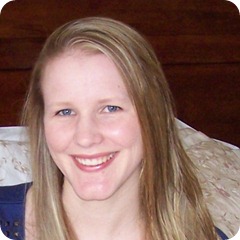 Why should I learn with Melissa?
Melissa is a scrapbooker of 10 years, educator and Photoshop Elements expert. Melissa's been running online live workshops for over a year (18 workshops so far!) and will ensure that you get a lot of learning packed into each workshop.
Praise for Melissa:
Mind blown. Who knew it was so simple. Thanks! - Lisa
My biggest AHA moment was that you could do this with Photoshop Elements. I think you did a great job on this workshop - keep up the good work. - Lois
You are soooo awesome! I can't believe how quickly and exactly you found just what I was looking for. Thank you so very much for your help. - Barbara
What if I'm not sure it's for me?
30-day money back guarantee:
P.S.
I know you’ll be thrilled with the workshop I have for you. Clip, Mask Blend workshop recording and handouts are available online 24/7. No physical products are shipped.
Buy today - just $30